無法加入家庭群組(國家/地區不一致)
當加入 Google 家庭群組時出現不在同一國家/地區提示,可依照以下步驟修正帳號地區。

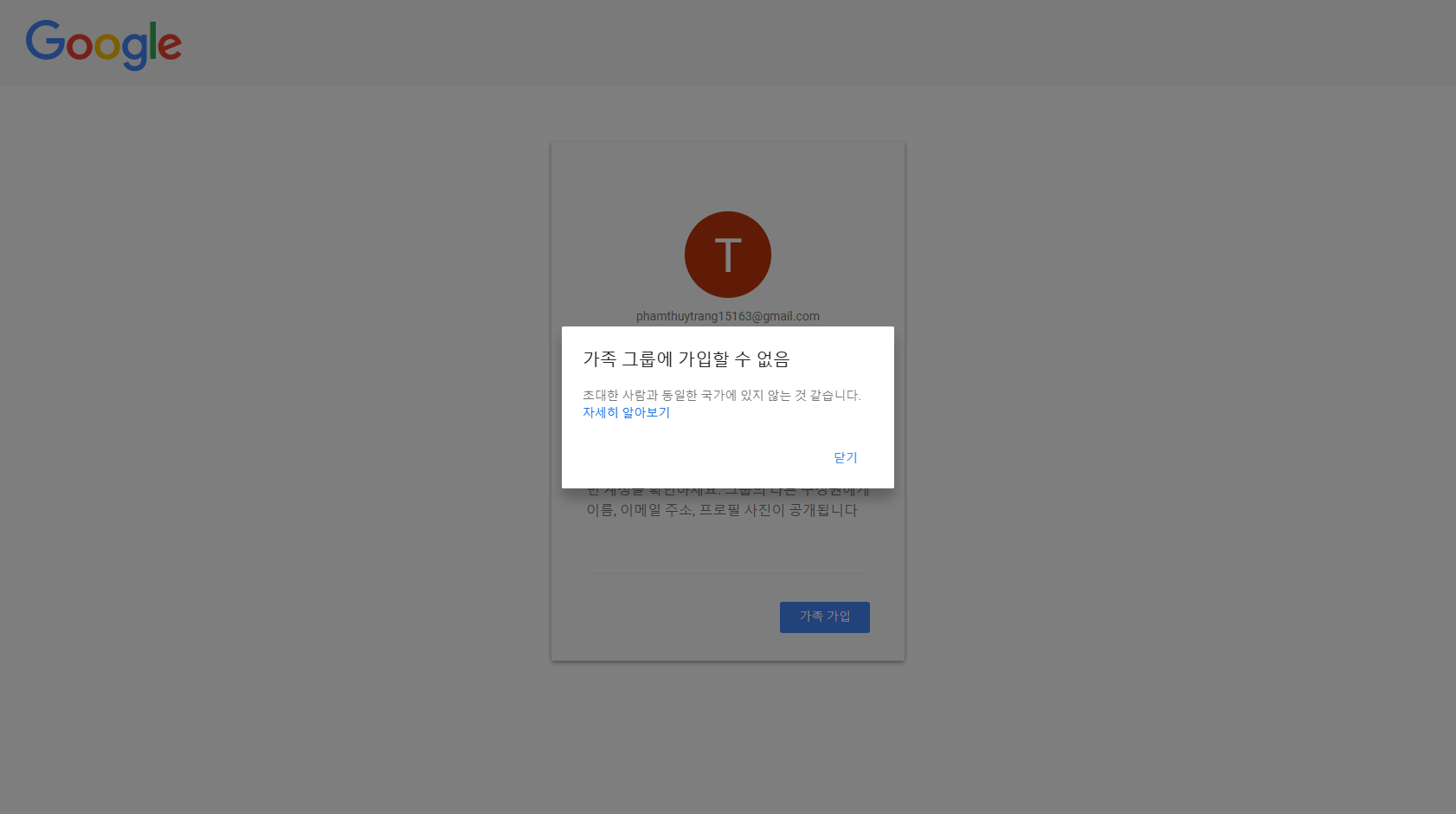
問題:無法加入家庭群組
此提示表示你與邀請者不在同一國家/地區,因此無法加入。
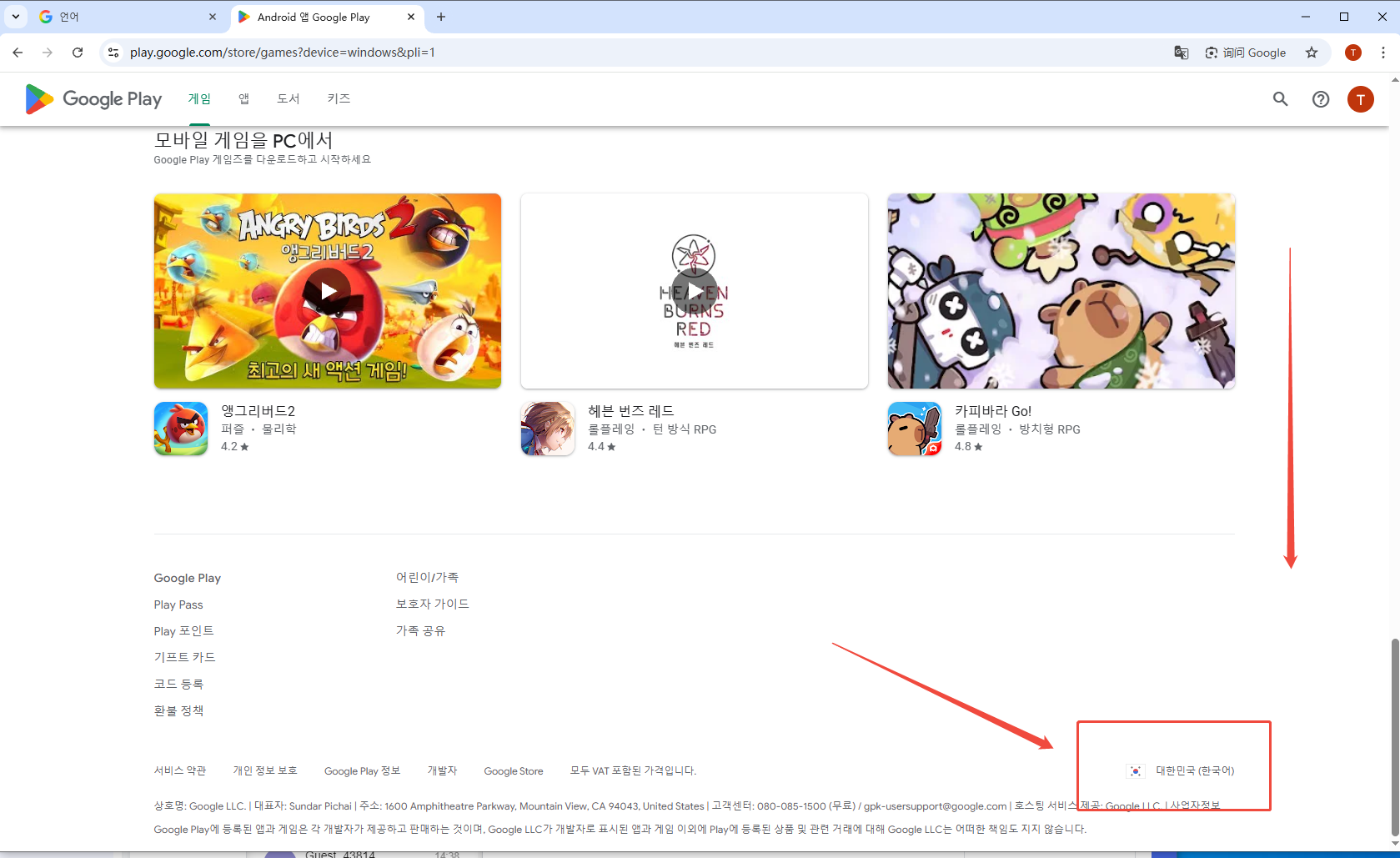
Step 1:檢查你的 Google Play 國家/地區 開啟連結
進入後滑到頁面最底部,右下角顯示的國家/地區就是你帳號目前的 Google Play 地區。
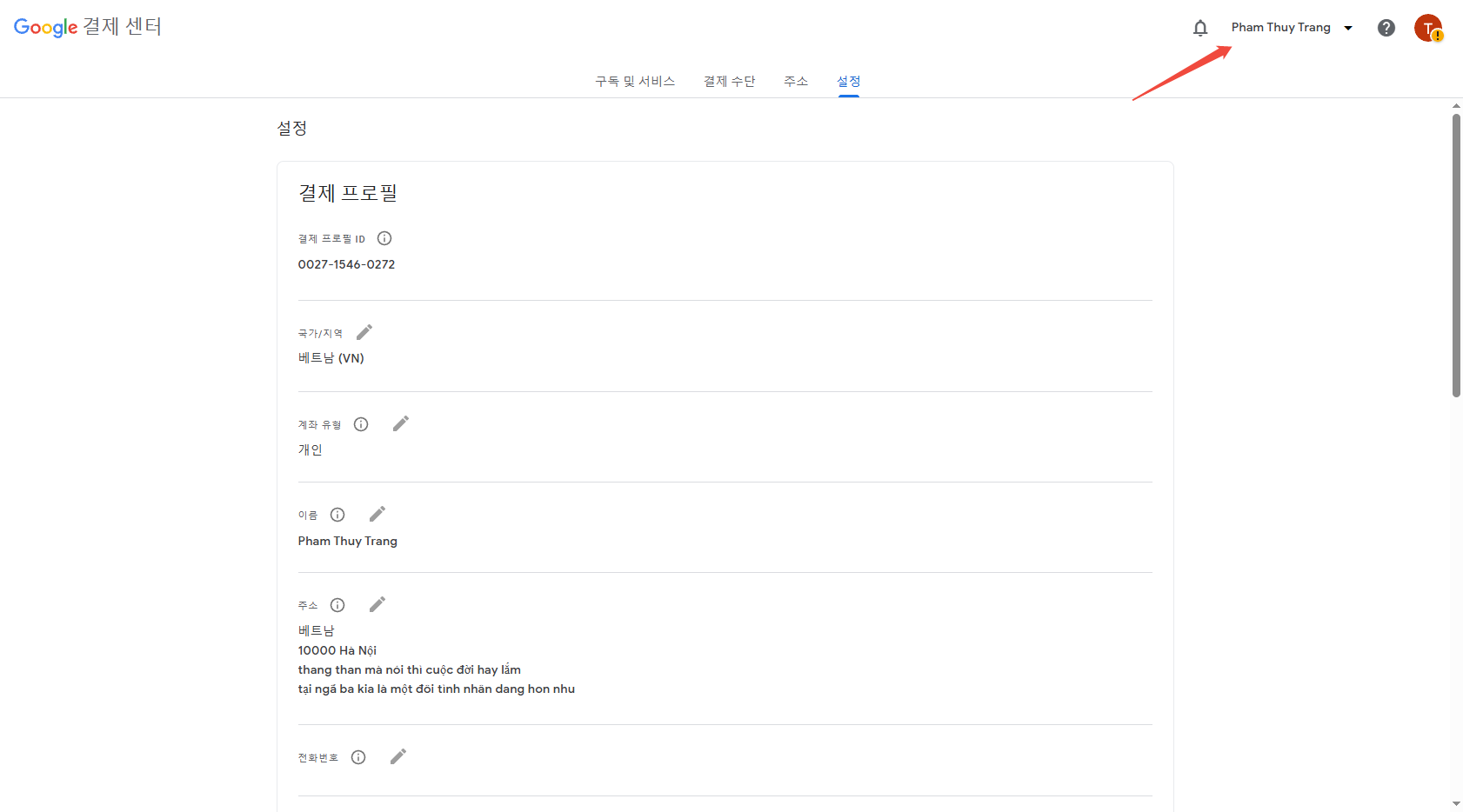
Step 2:進入 Google Payments 設定並確認國家 開啟設定頁
確認右上角登入的是正確帳號,再查看付款資料中的國家/地區。
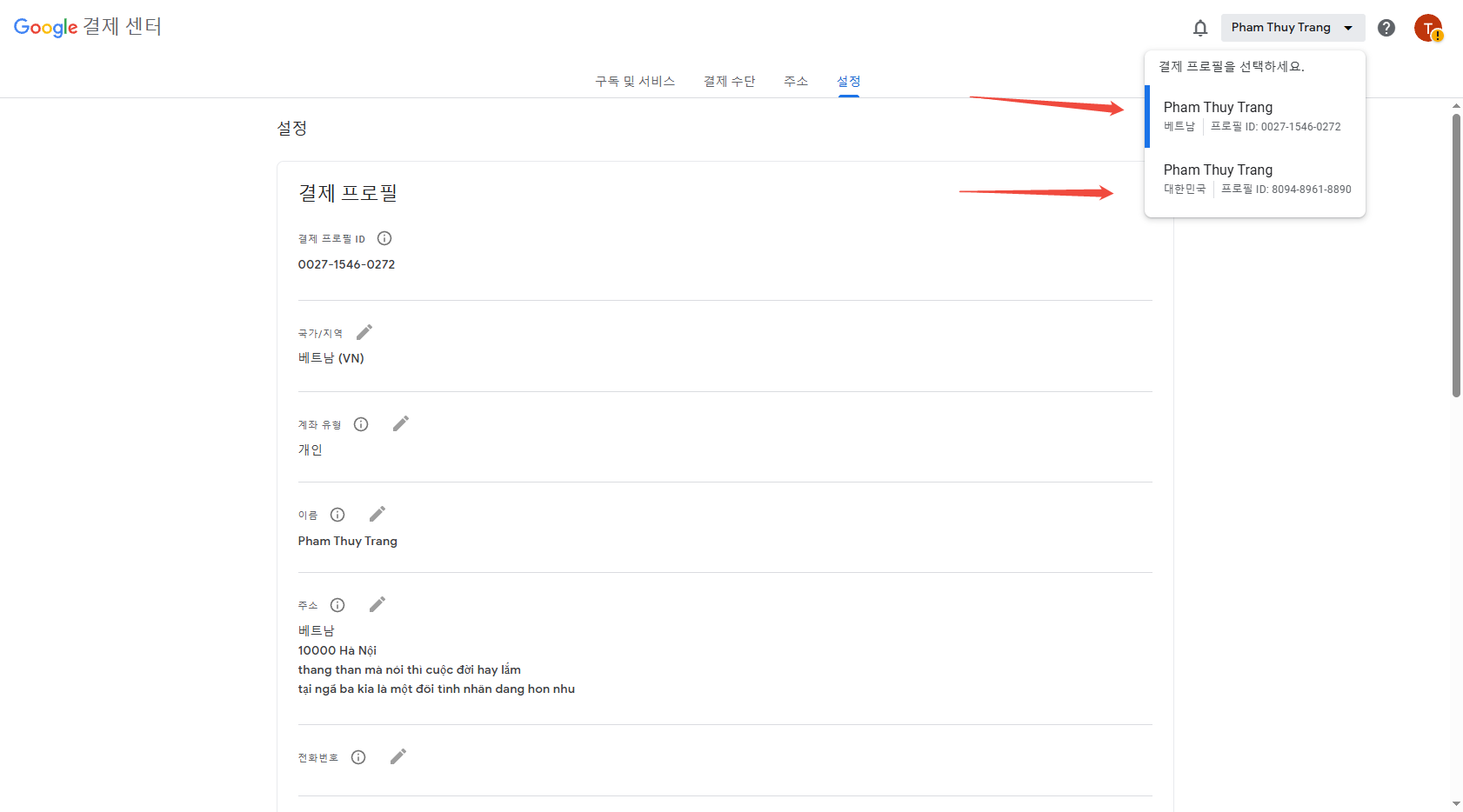
Step 3:檢查是否存在多個國家的付款資料(Profile)
點擊右上角下拉選單,如果看到不同國家的多個 Profile,表示帳號地區可能混亂。
Step 4:刪除錯誤國家的付款資料(Profile)
選擇錯誤國家的 Profile,往下滑找到「刪除付款資料(Delete payments profile)」並刪除。
完成
刪除後刷新 Google Play 國家(可能需要等待一段時間),再重新點擊邀請連結加入家庭群組即可。
Related articles
如何將播放清單匯入 SoundCloud 而不遺失歌曲
要在 SoundCloud 匯入播放清單而不遺失歌曲,您需要在開始前選擇正確的方法。來自 Spotify 或 Apple Music 的公開播放清單無法
Is Spotify Premium Worth It?
Spotify Premium feels like a small line item until you multiply it across twelve months and realize you are paying full price for the same playlists you already
When Does Apple Music Replay Come Out for 2026?
Apple Music Replay does not arrive as a single year-end drop. The 2026 Replay is already live, and it has been updating since late January. Apple typically turn
ChatGPT 免費版 vs. Plus:你該選哪一個?
ChatGPT 免費版 vs. Plus 並非單純比較答案品質。在簡短對話中,兩個方案聽起來往往相似。差異在於速度、使用量