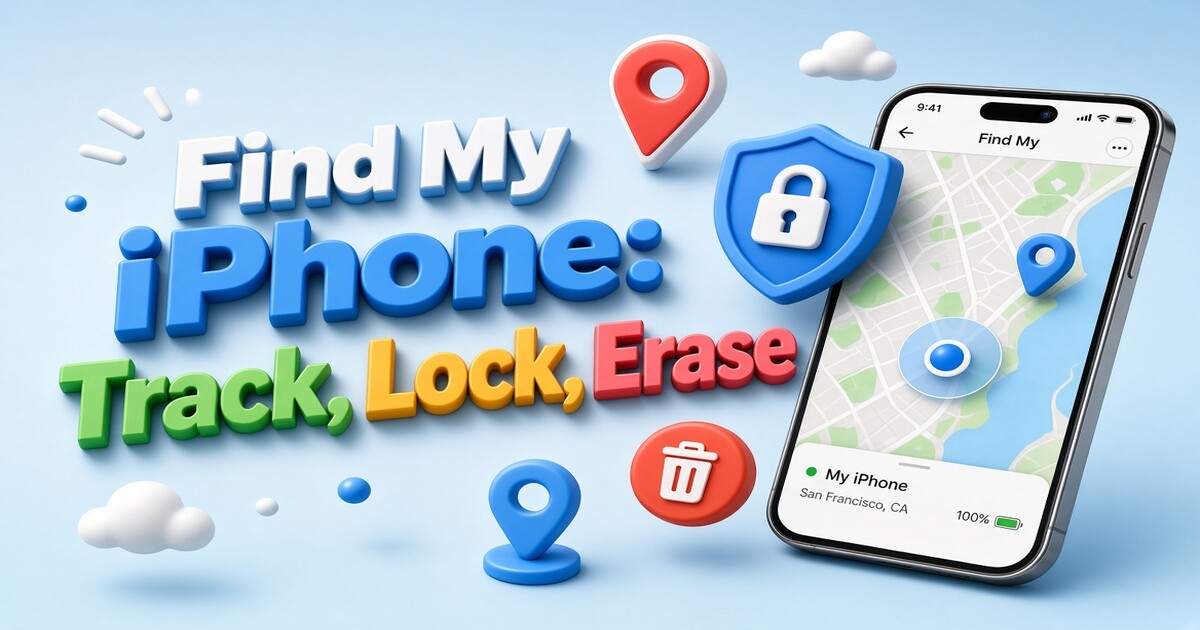
Find My iPhone does not show where your phone is right now. It shows where the phone last managed to reach a network, which may be a minute ago or a day ago, and that gap decides what you can still do. The feature is simple to switch on and easier to use once you understand the order of the decisions: locate first, lock while there is still hope of recovery, erase only when the data matters more than the hardware. This guide covers setup, the actions inside the app, offline behavior, Activation Lock, family sharing, and what to do after the phone comes back or does not.
What Find My iPhone Can and Cannot Do
Find My iPhone is the Apple feature that ties an iPhone to an Apple ID so a second device can find it, lock it, or wipe it. Everything runs through the Find My app or the Find My page at icloud.com/find, and each of those tools depends on three conditions that had to be true before the phone disappeared: you were signed in with your Apple ID, the Find My iPhone switch was on, and the phone can still reach either a network or a nearby Apple device.
The word to hold on to is "last". A location report is a snapshot, not a live feed. The app refreshes when the phone checks in, so a phone in a moving car can show a position ten minutes old while the screen looks perfectly current.
What the tools do well:
- Show the last reported position with a timestamp
- Play a loud sound on the device
- Lock the screen with a message and a callback number you write
- Erase the phone remotely while keeping Activation Lock in place
- Notify you when an offline phone reappears
What they do not do:
- Give you a continuous trail of where the phone has been
- Find a phone where Find My was never turned on
- Recover photos, messages, or files from the device
- Tell you who is holding it
- Promise street-level accuracy indoors, since the position can come from Wi-Fi, cell towers, GPS, or a Bluetooth relay
The practical consequence is that setup is the whole game. A phone with Find My enabled and a recent backup can be located, locked, and replaced in an afternoon. A phone without it becomes a hardware loss the moment it leaves your hand.
Setting Up Find My iPhone Before You Need It
Turn the feature on now, while the phone is in your hand. It takes about a minute and it is the only step in this guide that cannot be done retroactively.
- Open Settings and tap your name at the top.
- Tap Find My, then Find My iPhone.
- Switch Find My iPhone on.
- Switch Find My network on. This is what allows an offline phone to be located.
- Switch Send Last Location on. It sends a final position to Apple when the battery is critically low.
- Confirm that two-factor authentication is active for the Apple ID, and that you can receive a verification code on a number that is not the missing phone.
| Setting | What it enables | Required or optional | Why it changes the outcome |
|---|---|---|---|
| Find My iPhone | Ties the device to your Apple ID and switches on Activation Lock | Required | Without it there is no locate, lock, erase, or activation lock |
| Find My network | Lets nearby Apple devices relay an encrypted position when the phone has no signal | Required for offline locating | A phone in a bag with no bars can still report |
| Send Last Location | Sends the final position when the battery is nearly empty | Optional, recommended | Gives you one more data point before the phone dies |
| Two-factor authentication | Protects the Apple ID used to sign in at icloud.com/find | Required | Without a trusted device or code, the web tools stay closed |
| Device passcode | Required for Lost Mode, and for Activation Lock to hold | Required | A phone with no passcode is easier to wipe and reuse |
| A second trusted device or phone number | Lets you sign in and receive codes when the iPhone is the missing device | Recommended | The lost phone cannot receive your verification code |
That last row is the one people forget. If the only trusted number on the account belongs to the phone you just lost, you will not be able to complete sign-in at icloud.com/find from a borrowed laptop. Add a second number or keep a family member's device trusted before anything goes wrong.
How to Locate a Missing iPhone Step by Step
- Open the Find My app on another Apple device, or go to icloud.com/find in any browser.
- Sign in with the Apple ID used on the missing phone.
- Open the Devices tab and select the iPhone from the list.
- Read the status line before you press anything. It says "Now", a number of minutes ago, or "No location found".
- Choose one action and watch what changes on the map.
| Action | What it does | Best moment to use it | What it does not do |
|---|---|---|---|
| Play Sound | Plays a loud ping for roughly two minutes, even when the phone is set to silent | The phone is probably in the building, the car, or a bag nearby | Will not help when the phone is far away or offline |
| Directions | Opens Maps with a route to the last reported position | You have an address and can travel there safely | Does not keep updating while you walk |
| Notify When Found | Sends an alert when the phone next reports a position | The phone is offline and you can afford to wait | Does not keep searching on your screen |
| Mark As Lost | Locks the screen and displays a message and callback number | You accept the phone is out of your hands | Does not recover data or stop someone from switching it off |
| Erase This Device | Wipes the phone remotely and keeps Activation Lock in place | Data exposure matters more than the chance of recovery | Does not remove Activation Lock or reveal who has it |
Read the timestamp before acting. A "Now" report deserves a sound and a walk down the hallway. A position from three hours ago tells you where the phone was, not where it is, and driving there on a stale pin is usually wasted fuel.
Offline, Powered Off, or No Location Found
A phone with no cellular or Wi-Fi connection is not automatically invisible. Supported iPhones can broadcast a short-range Bluetooth beacon that nearby Apple devices pick up and relay to Apple, encrypted end to end so the company itself cannot read the position. That relay is why an offline phone sometimes reappears hours later at a location on the other side of town.
Powered-off phones can also keep reporting for a limited period on supported models, provided Find My network is switched on. Switching the phone off does not instantly end the signal, which is why a phone reported stolen at 9 a.m. may still check in during the afternoon.
If the screen says "No location found", treat it as a waiting state rather than a verdict. Set Notify When Found and leave it. Three things are usually happening:
- The phone is off, drained, or has been placed somewhere that blocks signal, such as a metal locker or a basement
- The phone is on but has no data connection, and no Apple device has passed close enough to relay the beacon
- Find My was disabled on the device, in which case no amount of waiting will bring the pin back
Send Last Location helps in the first case. When the battery drops to a critical level, the phone sends one final position to Apple before it shuts down. It is not a live fix, but it narrows the search to a single point in time.
Lock, Erase, and Activation Lock Options
The three recovery tools are often treated as one button. They are not, and the order matters.
Mark As Lost locks the screen and displays a message you write, plus a phone number a finder can call. Choose a number you will actually answer, and keep the message short, something like "Lost phone, please call this number". Do not put your Apple ID password, your full home address, or an account number on a lock screen that a stranger can read. If the phone is offline when you send the request, Lost Mode applies the next time it connects.
Activation Lock is the quiet protection underneath. When Find My iPhone is on, the device stays tied to your Apple ID even after a remote erase. Anyone who tries to set the phone up again meets a password prompt they cannot pass, which is what makes a stolen iPhone hard to resell. Removing that lock requires the Apple ID password, or proof of purchase arranged through Apple.
Erase This Device wipes the phone remotely. Apple notes that on iOS 15 and later an erased device can still report its location, so erasing does not automatically end your ability to see where it is. The tradeoff is different: after an erase you lose the ability to play a sound, you lose the passcode screen, and any data on the phone is gone unless you have a backup.
Use this order:
- Locate and play a sound while the phone might still be within reach.
- Move to Lost Mode as soon as you accept it is out of your hands, so the lock screen carries your contact details.
- Erase when the data on the phone is more valuable than the hardware, or when you have concluded the phone is not coming back.
One safety point that matters more than any setting. Do not go to an address alone to recover a phone, and do not confront whoever is holding it. Give the police the serial number and IMEI, which appear on the box, the receipt, or in Settings, General, About while you still have the device. Your carrier can also block the IMEI so the phone cannot be activated on another line.
Sharing Devices and Location With Family
When you are in a Family Sharing group, the Devices tab can list the other members' devices alongside your own. That turns a family member's iPhone into a shared safety net: a parent can see a child's phone, and an adult whose own phone is missing can borrow a partner's device to locate it.
Two separate switches control this, and mixing them up causes most of the confusion:
- Device visibility comes from Family Sharing, which is why family devices appear in your Devices list
- People visibility comes from location sharing, which is why a family member appears in the People tab with a moving position
Actions that change a device, such as Lost Mode or erase, stay with the owner's Apple ID. A family member can help you look and can play a sound, but the decisions that alter the phone remain yours.
If you would rather not be visible, open the Find My app, go to the People tab, select the person, and stop sharing location. Leaving a Family Sharing group removes device visibility as well, which also means nobody can help you locate a phone in an emergency. Decide which of those two outcomes you want before you change anything.
After the Phone Is Back or Gone for Good
If the phone comes back, switch off Lost Mode and confirm the passcode still works. If the device spent time outside your control, do three things: change the Apple ID password, review the list of trusted devices on the account, and confirm your trusted phone numbers are current. A phone that was briefly in someone else's hands is a reason to rotate the password, not a reason to panic.
If the phone is gone, erase it and remove it from Find My once you have given up on recovery, so the device no longer sits on your account. Keep the serial number and IMEI in your records for the police report and the carrier block.
If you are selling or trading in, do the removal in the right sequence: back up, sign out of the Apple ID, turn off Find My iPhone, then erase. Skipping the sign-out leaves Activation Lock active, and the buyer will come back to you with a phone that cannot be set up.
Close the Loop on the Accounts the Phone Was Using
The device side is now handled. The billing side usually is not. A lost, stolen, or replaced phone leaves behind a stack of subscriptions that keep charging whether or not you still use them, and most people never audit that list because it renews quietly in the background.
Start with the four or five services you actually open in a normal week. Note what each one costs per month, how many people in your household use it, and whether anyone outside your household shares the cost. That short list is usually where the savings hide, and it is the fastest way to turn a bad week into a cheaper year.
If you want a second opinion on that list, send the DolOffer team the services you pay for and how many people use each one. The support desk runs 24 hours a day through doloffer.com and will tell you which plans could move to a shared subscription, what the monthly difference looks like, and how the delivery and password reset process works before you commit. No pressure to switch everything at once. One line item is enough to start.
FAQ
Does Find My iPhone work when the phone is turned off?
Sometimes, and only on supported models with the Find My network setting enabled. Those phones can keep broadcasting a Bluetooth beacon for a limited period after being switched off, and nearby Apple devices relay that signal. Once the battery is fully drained, the reports stop. Send Last Location gives you one final position as the battery approaches empty, so switch it on before you need it. A phone that was never set up with Find My will not report at all, whether it is on or off.
Can someone turn off Find My iPhone on a stolen phone?
Turning the switch off requires the Apple ID password, and signing out of iCloud requires it too. That is the main reason Activation Lock works: a thief with the physical phone still cannot detach it from your account. The realistic risk is not the settings menu but a phishing message or call pretending to be Apple and asking for your password. Never enter your Apple ID credentials on a link sent to you after a loss. Sign in only at icloud.com/find or on a device you control.
Why does Find My show a location from hours ago?
Because the pin marks the last successful check-in, not the phone's current position. A phone that lost signal, was switched off, or was placed in a shielded space stops updating while the old pin stays on screen. Read the timestamp under the device name before you act. If the report is stale, set Notify When Found and wait for the next one rather than traveling to an address the phone left hours earlier.
Does erasing an iPhone remove Activation Lock?
No. Erasing wipes the data but the device stays tied to your Apple ID, and anyone setting it up again meets a password prompt. That is deliberate: it makes a stolen phone far less useful to a reseller. To fully detach a device, sign out of the Apple ID and turn off Find My iPhone on the phone itself, or remove it from your account in Find My after erasing. Do this before selling, trading in, or recycling a phone.
Can the police locate my iPhone for me?
They can act on what you give them, so prepare the details first: serial number, IMEI, the last known location with its timestamp, and a screenshot of the Find My screen. Police can request records from carriers and platforms through legal channels, which is faster when you arrive with specifics rather than a general description. Your carrier can separately block the IMEI so the handset cannot be activated on another network. Report the loss even if you expect the phone is gone for good.