Enable Google Account 2-Step Verification
How to set up and use Google 2FA authentication for DolOffer subscriptions.
By DolOffer
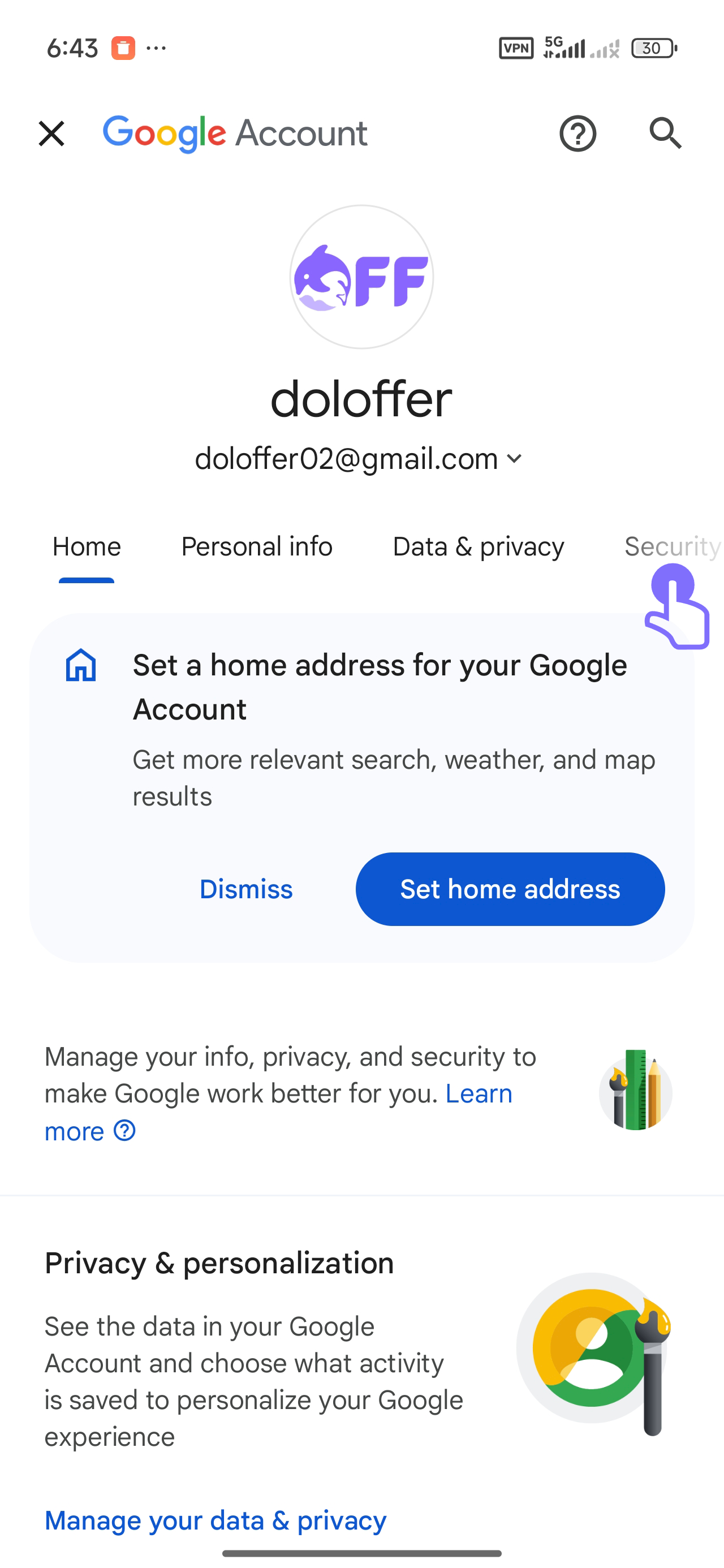
1. Go to your Google Account settings and tap on the 'Security' tab. Click here to go to Google Account settings
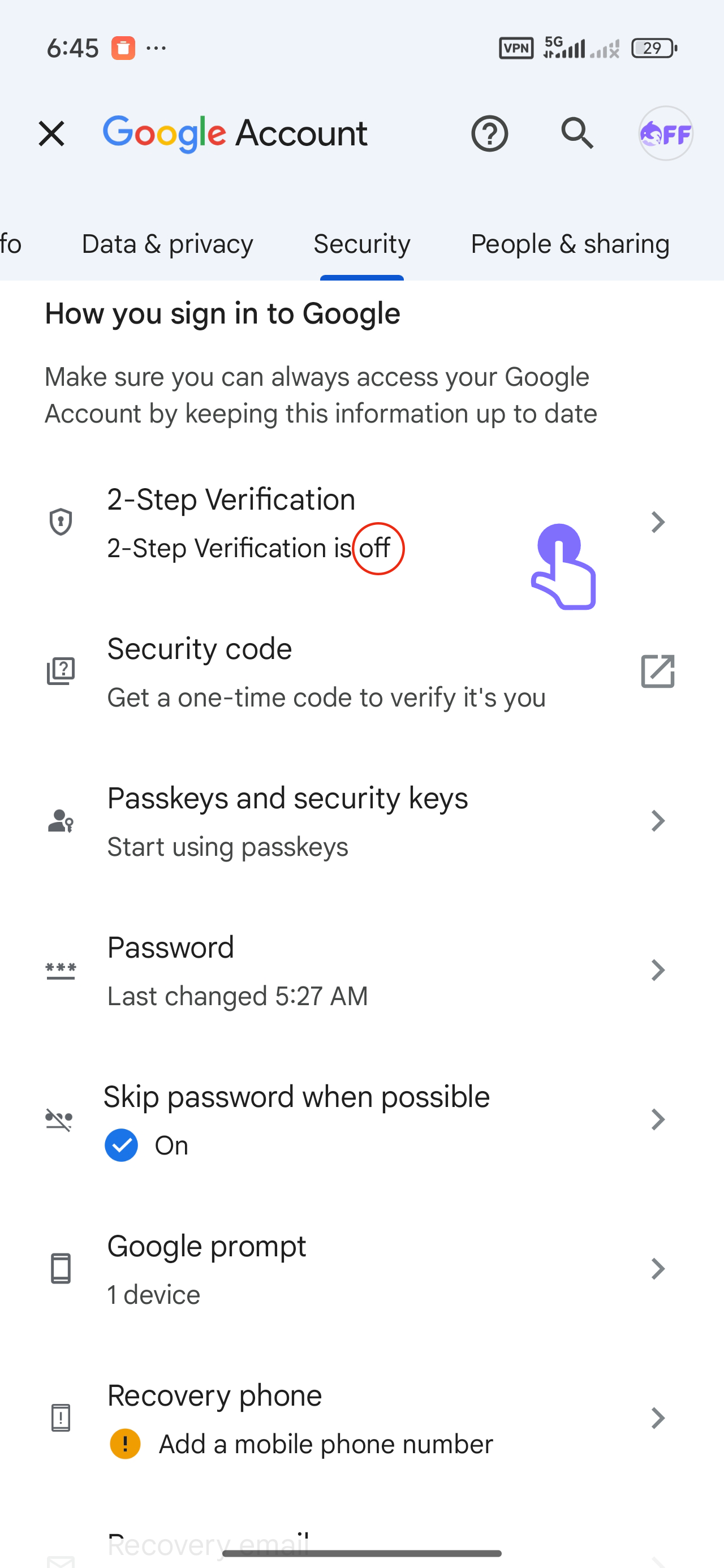
2. Under 'How you sign in to Google', tap on '2-Step Verification'.
3. Press 'Add phone number' and input your valid phone number.
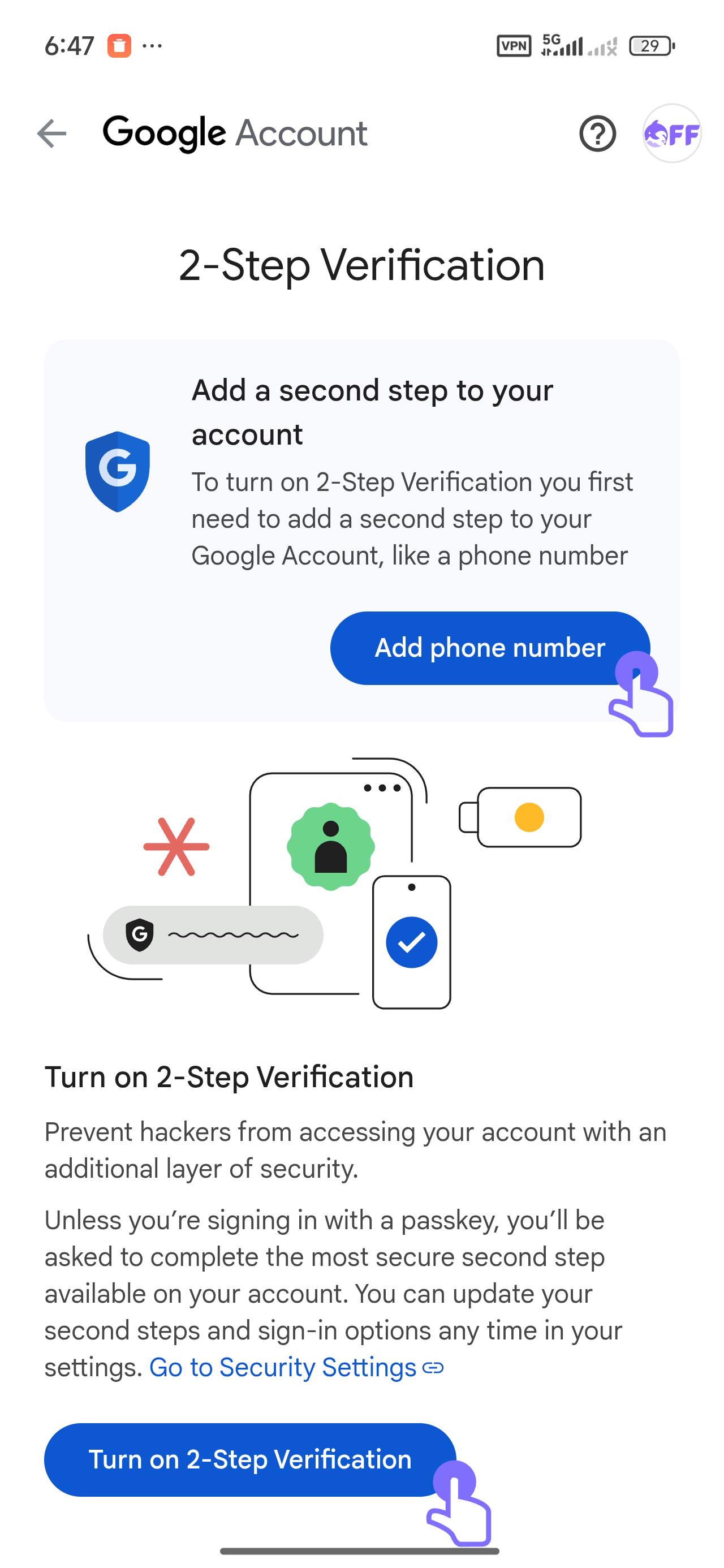
4. Press 'Turn on 2-Step Verification' to activate it.
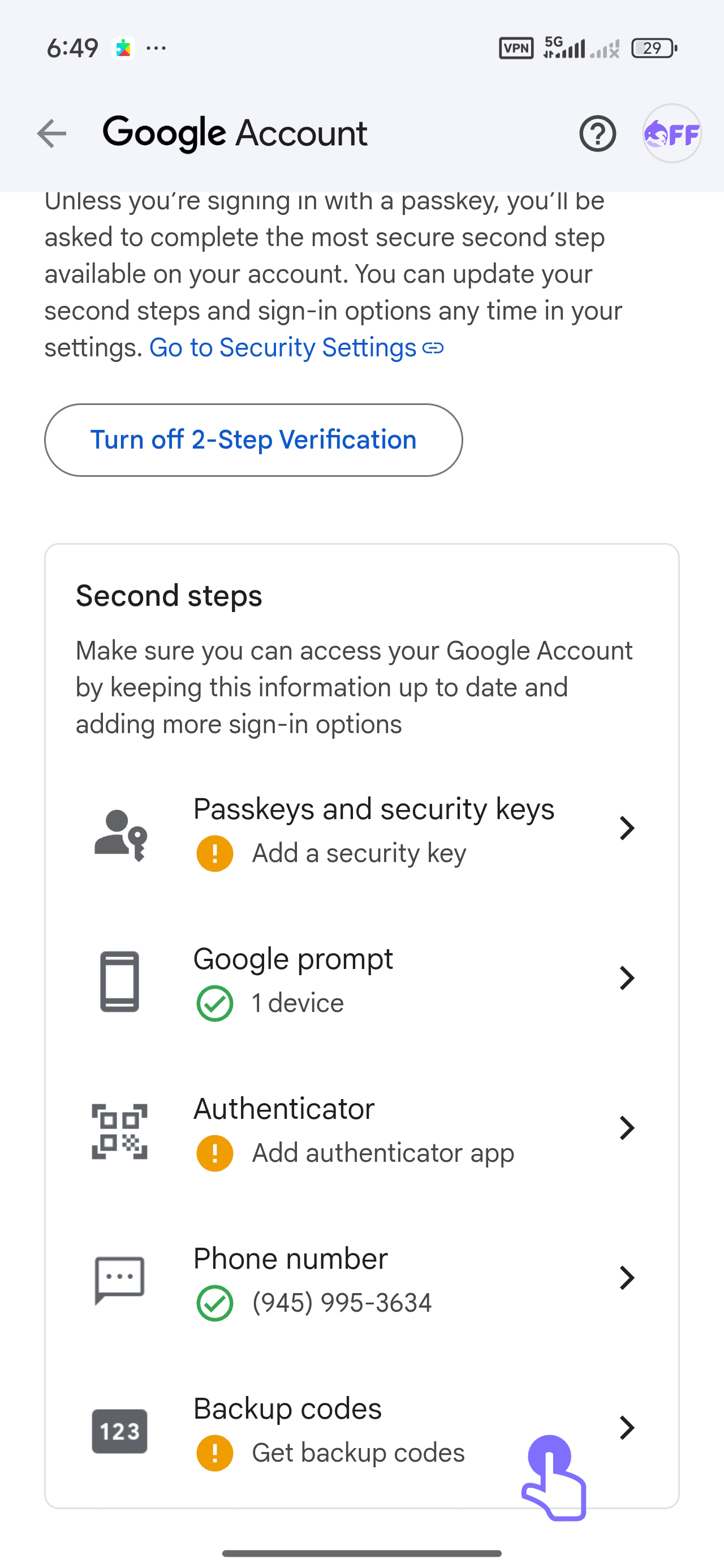
5. Set up additional security options such as Google Prompt, Authenticator, or Backup Codes.
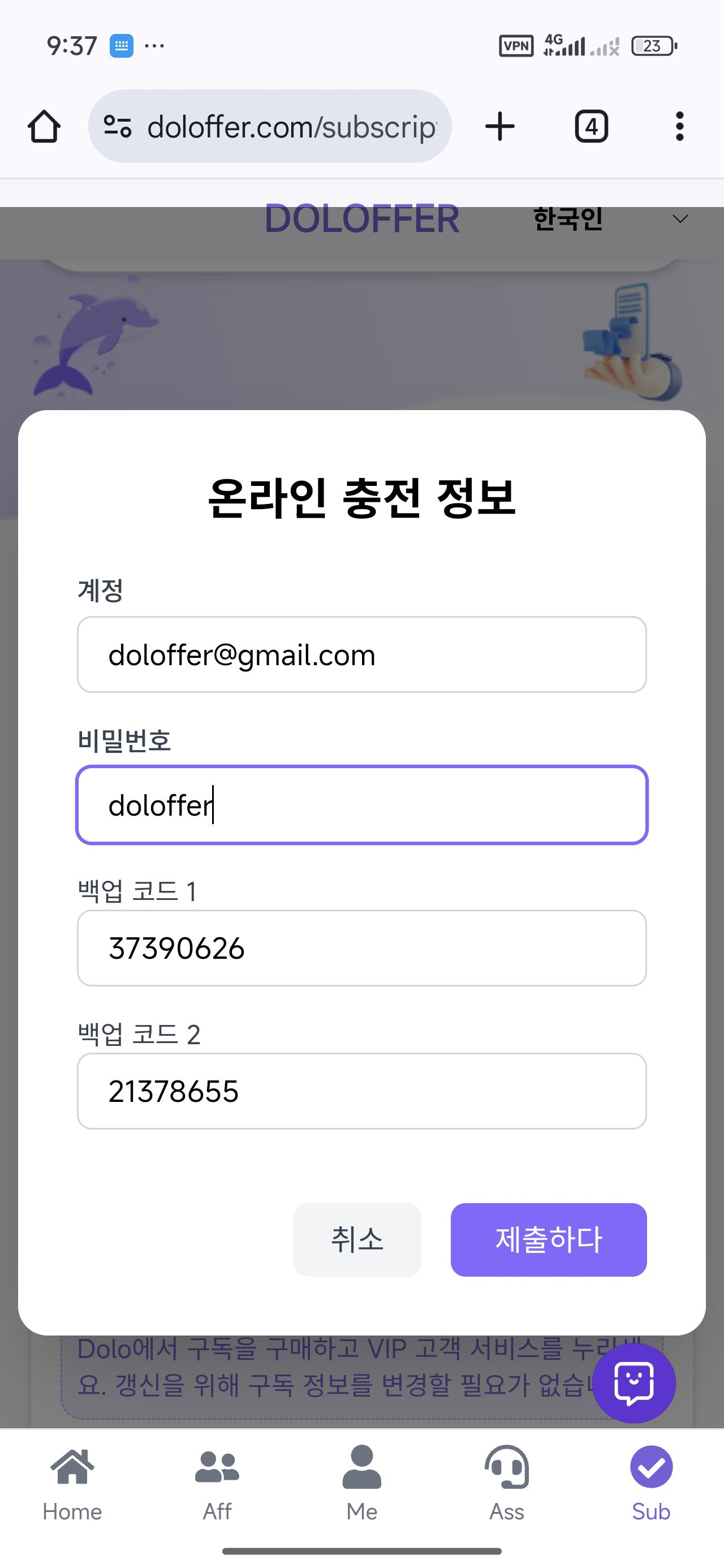
6: On the subscription page, enter your account, password, and two backup codes to verify your identity and complete the subscription.
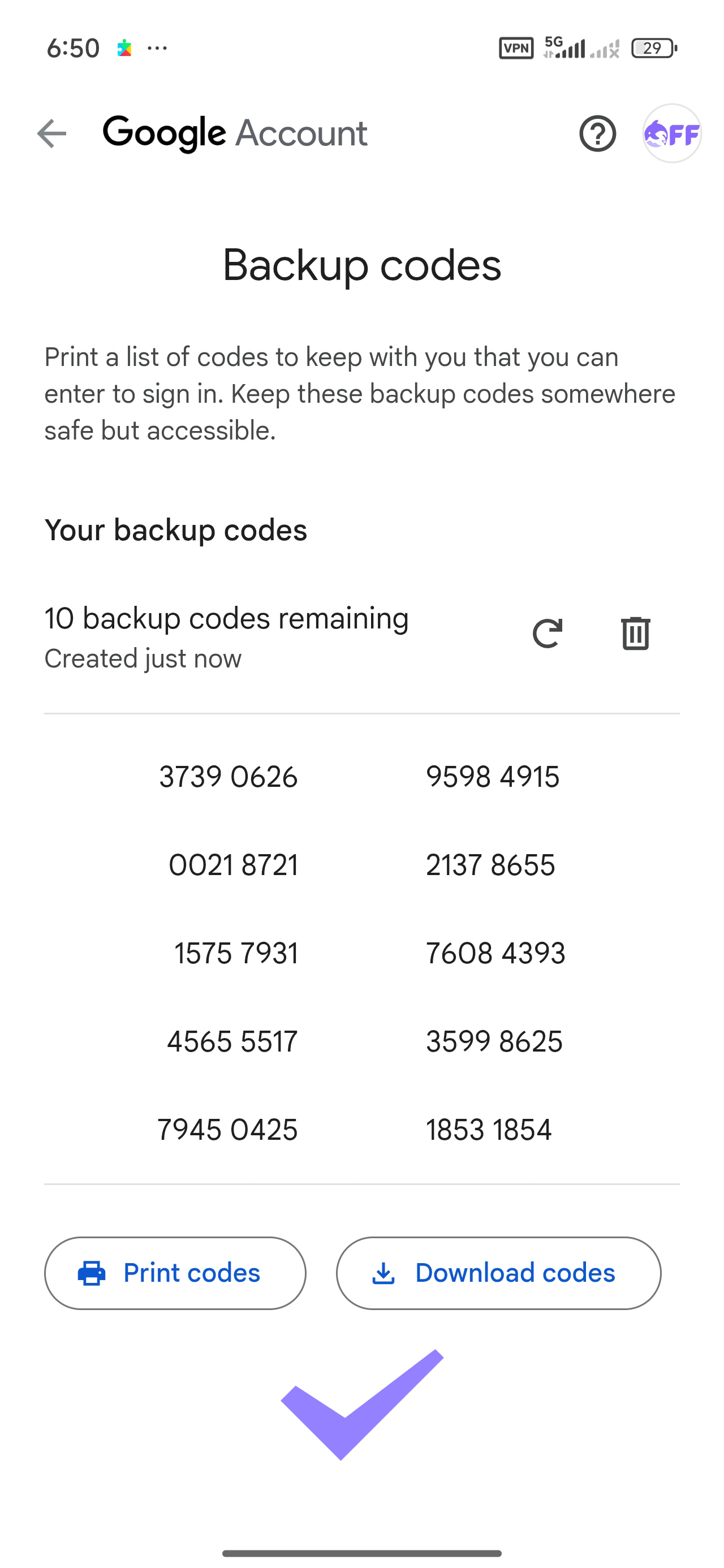
Backup codes have now been generated. Keep them in a secure place in case you lose access to your phone.
Related articles
How to Import Playlists to SoundCloud Without Losing Tracks
To import playlists to SoundCloud without losing tracks, you need to pick the right route before you start. A public playlist from Spotify or Apple Music cannot
Is Spotify Premium Worth It?
Spotify Premium feels like a small line item until you multiply it across twelve months and realize you are paying full price for the same playlists you already
When Does Apple Music Replay Come Out for 2026?
Apple Music Replay does not arrive as a single year-end drop. The 2026 Replay is already live, and it has been updating since late January. Apple typically turn
ChatGPT Free vs. Plus: Which One Should You Use?
ChatGPT Free vs. Plus is not a straight comparison of answer quality. In short exchanges, both tiers often sound similar. The difference appears in pace, usage