Running out of iPhone storage never announces itself politely. You try to take a photo, download a playlist, or install an update, and the phone stops mid-task with a full screen warning. Buying more iCloud storage is the quickest fix, but the choices are easy to misread. This article walks through how to buy more storage on an iPhone, what each iCloud plan costs, when you should upgrade instead of deleting files, and what to check before you pay for more space than you actually need.
What Does Buying More Storage on iPhone Actually Mean?
An iPhone has two storage systems that sound similar but work differently. The first is the physical storage inside the device, which holds apps, photos, messages, and the operating system. The second is iCloud storage, which stores copies of that data on Apple's servers.
You cannot add physical storage to an iPhone after purchase. There is no memory card slot, and Apple does not offer an internal upgrade service. When people say they want to buy more storage on an iPhone, they usually mean buying more iCloud storage so the device can offload photos, backups, messages, and files to the cloud. That is the storage you can buy, change, or cancel from the Settings app.
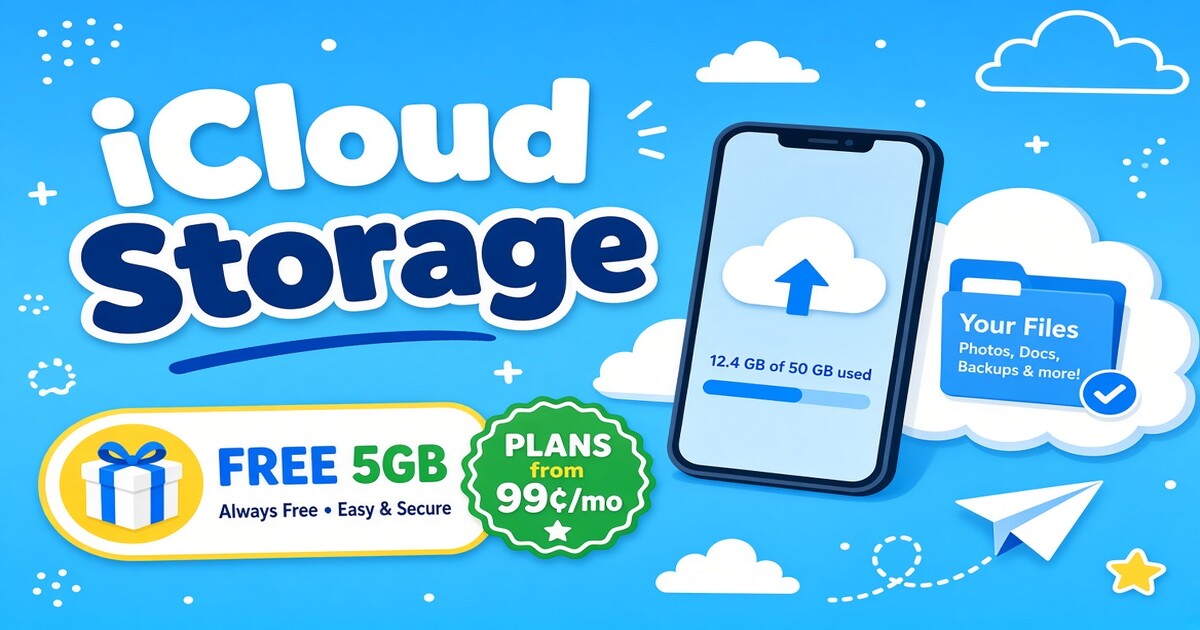
The free iCloud tier includes 5 GB, which disappears quickly once photos and backups are involved. A larger iCloud plan does not make the iPhone run faster by itself, but it removes the pressure that comes from a constantly full device. For most people, the right answer starts with understanding the monthly plans and what they actually deliver.
How Much Do iCloud Storage Plans Cost?
iCloud storage is sold as a monthly subscription through your Apple ID. Prices below are standard US rates, and local taxes or currency differences may apply.
| Plan | Monthly price (US) | Storage included | Best fit |
|---|---|---|---|
| 50 GB | $0.99 | 50 GB | One iPhone with a growing photo library |
| 200 GB | $2.99 | 200 GB | One person with several devices or a small family |
| 2 TB | $9.99 | 2 TB | Heavy photo and video users or family sharing |
| 6 TB | $29.99 | 6 TB | Large libraries, multiple family members, 4K video |
A 12 TB plan also exists for $59.99 per month, but it only makes sense for users storing very large video projects or running multiple devices with full photo libraries.
Individual and family plans
The 50 GB plan is individual only. The 200 GB, 2 TB, and 6 TB plans can be shared with up to five family members through Family Sharing. For a household with two or three iPhones, the 200 GB plan often replaces three separate 50 GB subscriptions and costs less overall.
Apple One as an alternative
Apple One bundles iCloud storage with Apple Music, Apple TV+, Apple Arcade, and other services. If you already pay for several Apple services, the bundle can reduce the total monthly cost compared with buying iCloud separately. The right choice depends on which Apple services you actually use, not just the storage allowance.
How Do You Buy More iCloud Storage From Your iPhone?
The purchase happens inside Settings and takes less than five minutes.
- Open Settings and tap your name at the top.
- Tap iCloud.
- Tap Manage Account Storage or iCloud+.
- Tap Change Storage Plan.
- Choose the plan you want and confirm with Face ID, Touch ID, or your Apple ID password.
The new storage is available immediately, and Apple bills the payment method attached to your Apple ID each month. You can also upgrade from a Mac by going to System Settings, opening your Apple ID, and selecting iCloud. The same plan applies across all devices signed in with that Apple ID.
What to check before you confirm
Open Settings, tap General, then tap iPhone Storage to see how much local storage you are using. If the phone is full but iCloud shows only 20 GB used, deleting old files may work just as well as upgrading. If iCloud itself is full, buy the next plan up. If your household shares storage and you also pay for streaming services such as Netflix, YouTube, and Spotify separately, it is worth comparing those recurring costs before adding another monthly line. You can check current shared subscription options on the DolOffer product page or contact [email protected].
Should You Upgrade or Free Up iPhone Storage First?
Before paying for more space, spend five minutes clearing what no longer deserves a place on the phone.
Check what is filling the iPhone
Settings > General > iPhone Storage shows a color-coded bar and a list of apps sorted by size. Messages with old photo attachments often take up more room than people expect. The iPhone also keeps deleted photos in a Recently Deleted album for 30 days, which can hold several gigabytes.
Move photos and videos to iCloud
Turn on iCloud Photos and select Optimize iPhone Storage. The phone keeps smaller versions locally and stores full-resolution photos and videos in iCloud. This single change often recovers more usable space than any other setting.
Remove offline content
Streaming apps, podcasts, and games with offline downloads can quietly consume large amounts of space. Delete downloads you no longer need. A 50 GB iCloud plan is usually the cheapest upgrade if the phone is still full after these steps, but many people find they can postpone an upgrade by a month or two just by clearing the clutter.
Which iPhone Storage Plan Is Right for You?
Start with actual usage, not a guess. Open Settings, tap your name, tap iCloud, and look at the storage bar.
If you have one iPhone and iCloud shows under 45 GB used, the 50 GB plan is the simplest choice. If two or more family members need backup space, the 200 GB plan is usually the better value because it can be shared. If you shoot a lot of 4K video or keep years of photos across multiple devices, move directly to 2 TB rather than upgrading again in three months.
The more common mistake is not choosing a small plan. It is choosing a small plan while ignoring the rest of the monthly subscription bill. A person paying separately for iCloud, Apple Music, Netflix, YouTube, and Spotify can spend far more than necessary on overlapping digital services. DolOffer offers shared streaming subscriptions with real-time delivery and one-click password reset, which can lower that part of the bill while keeping the same services. Check today's plan price and available shared subscriptions on the DolOffer product page, or contact [email protected] and the 24/7 online customer service team if you need a side-by-side comparison before deciding.
What Else Should You Know About Buying iPhone Storage?
Can I buy more iPhone storage without a monthly plan?
No, not in the way most people mean. You cannot add internal storage to an iPhone, and there is no one-time iCloud purchase. The closest option is to move files to an external drive or another cloud service, but that creates a second system to manage. For most people, the monthly iCloud plan is simpler because backups and photo syncing run automatically.
What happens if I cancel my iCloud storage plan?
It depends on how much data you keep in iCloud. Your files stay for a limited time after the plan ends, but new backups and photo syncing stop. If your stored data exceeds the free 5 GB, Apple may remove the overage after the grace period. Before canceling, download anything you want to keep. If you only need a pause, downgrade to a lower plan instead of closing it completely.
Can I share iCloud storage with my family?
Sharing iCloud storage does not mean sharing photo libraries. With a 200 GB, 2 TB, or 6 TB plan, Family Sharing lets up to six people use the same storage pool while keeping private files separate. The 50 GB plan cannot be shared. A family of three usually saves by moving to one 200 GB plan instead of paying for three individual plans.
Does buying more iCloud storage speed up an iPhone?
The question is really about physical storage, not iCloud. A full iPhone can feel slower because the system needs free local space for temporary files and updates. A larger iCloud plan changes local storage only when you turn on features such as Optimize iPhone Storage or offload apps. If the device is nearly full, clear local space first, then decide whether a larger iCloud plan is worth adding.
Can I use an Apple Gift Card for iCloud storage?
From the support questions we receive, Apple Gift Cards do work for iCloud billing, but there is a timing detail. The gift card must be applied to your Apple ID balance first. The monthly iCloud fee then draws from that balance before charging your payment method. Check current storage pricing in Settings, and if you also want to lower the streaming side of your monthly bill, compare today's shared plan price and availability on the DolOffer product page.