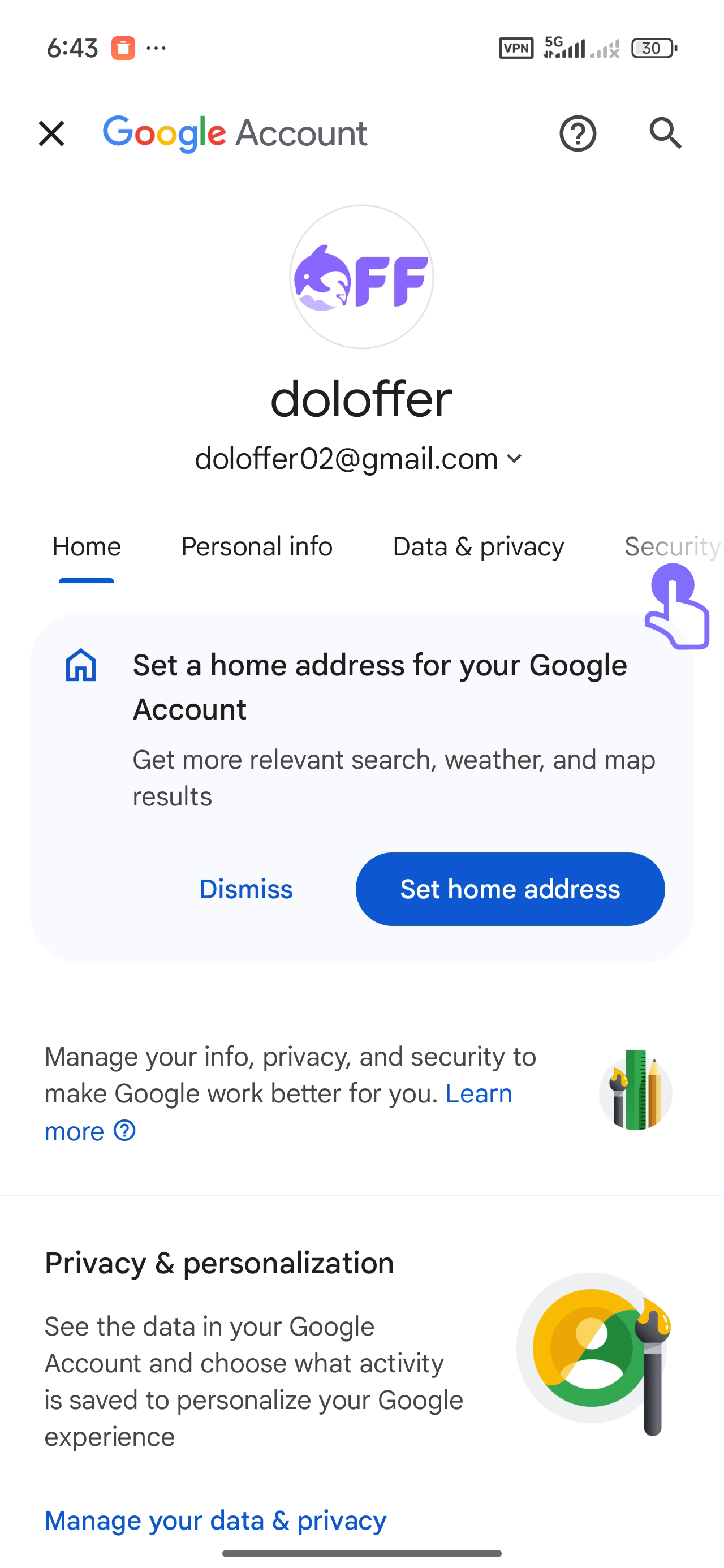
1. Go to your Google Account settings and tap on the 'Security' tab.Click here to go to Google Account settings
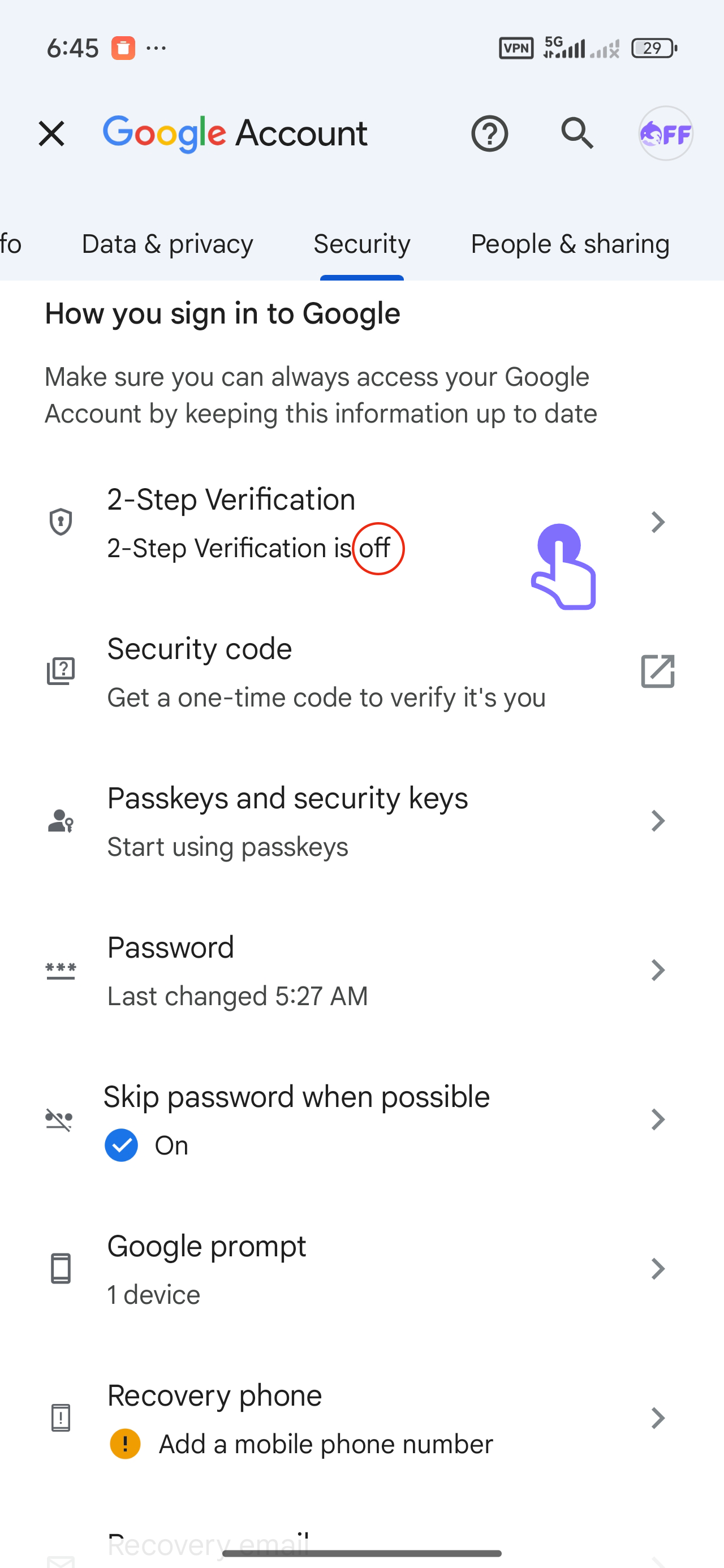
2. Under 'How you sign in to Google', tap on '2-Step Verification'.
3. Press 'Add phone number' and input your valid phone number.
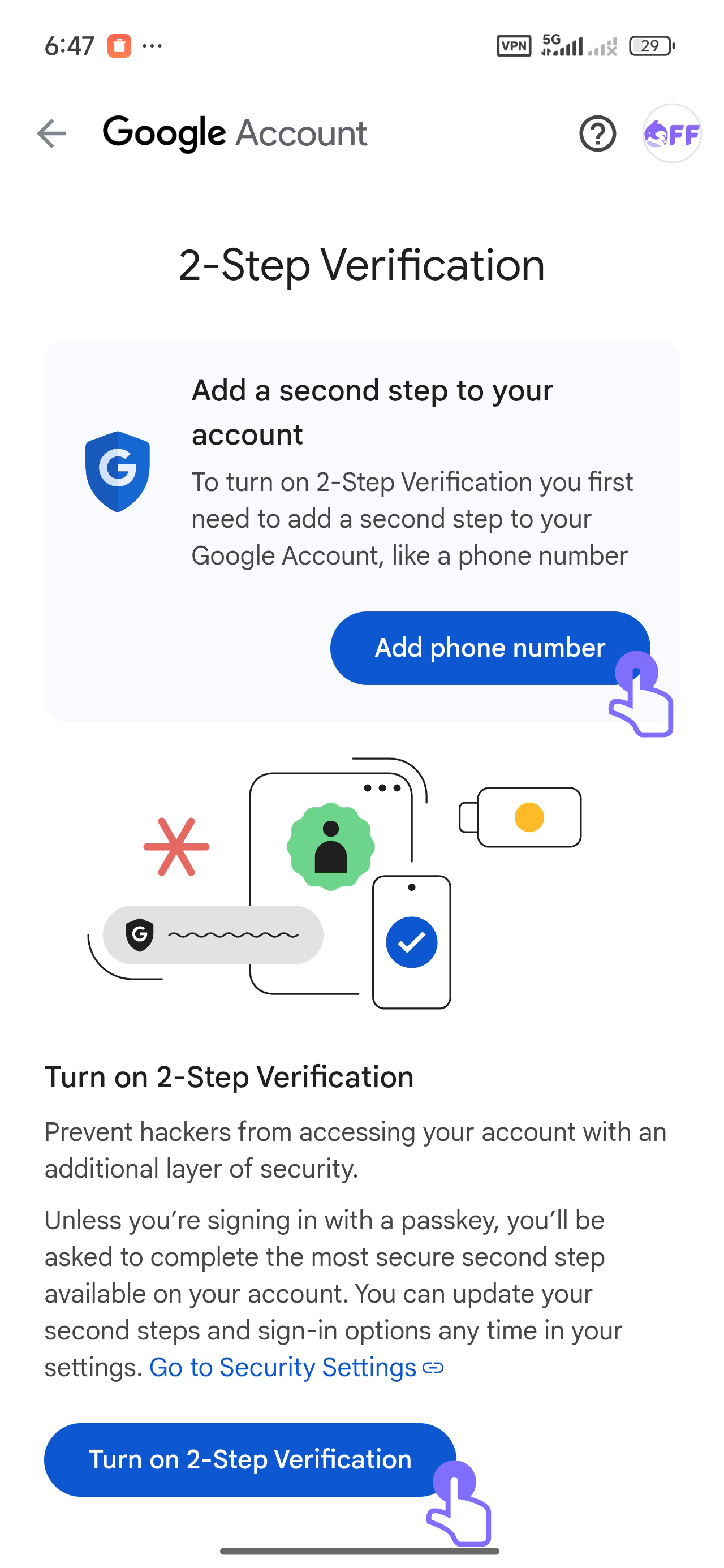
4. Press 'Turn on 2-Step Verification' to activate it.
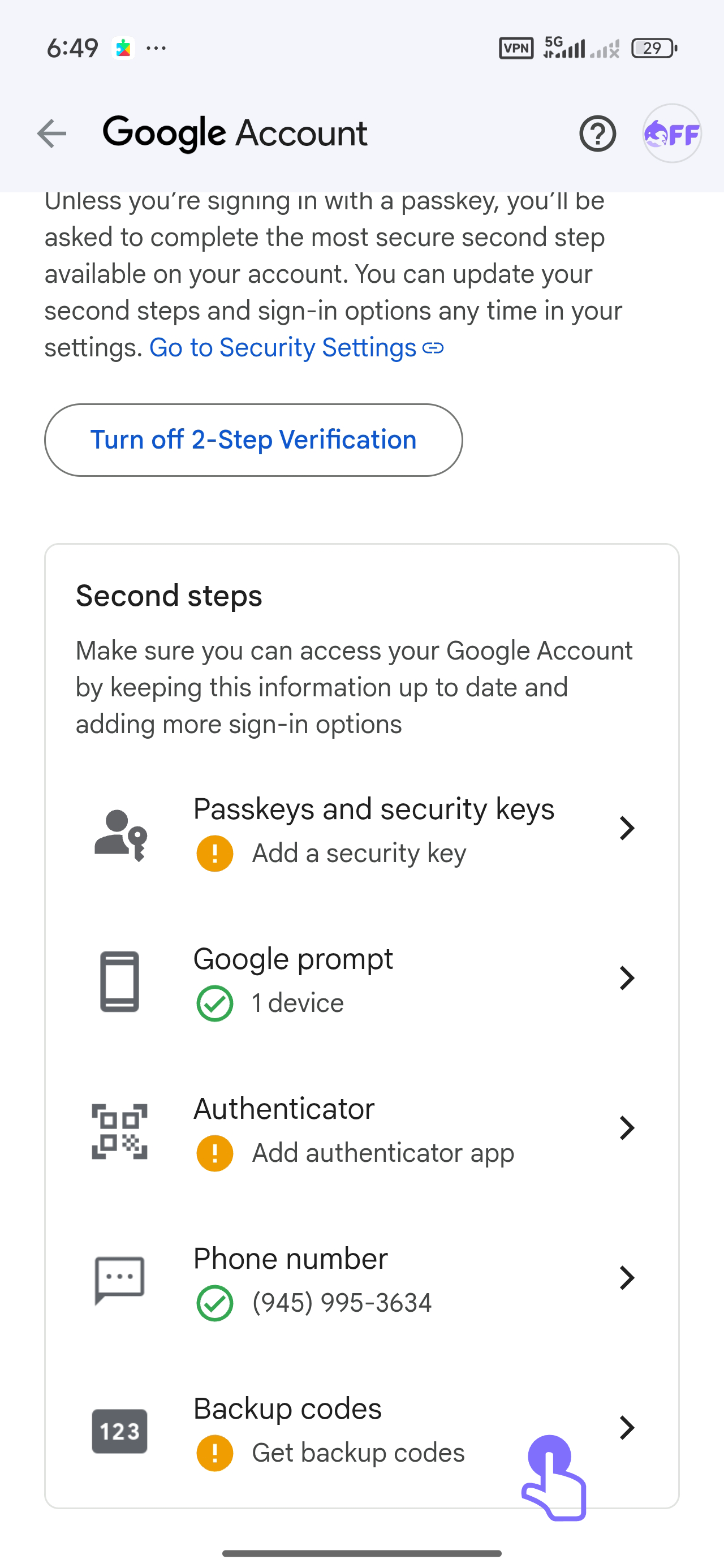
5. Set up additional security options such as Google Prompt, Authenticator, or Backup Codes.
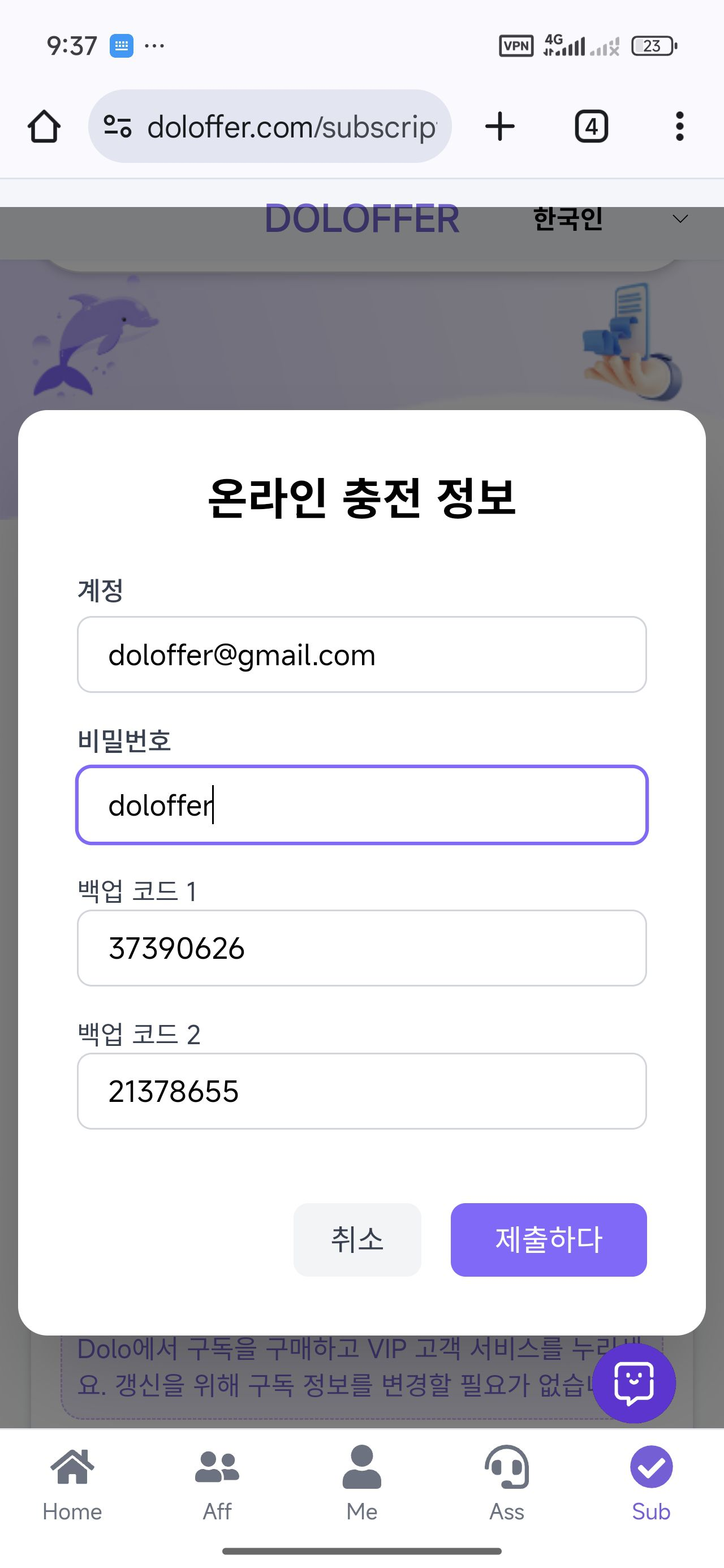
6: On the subscription page, enter your account, password, and two backup codes to verify your identity and complete the subscription.
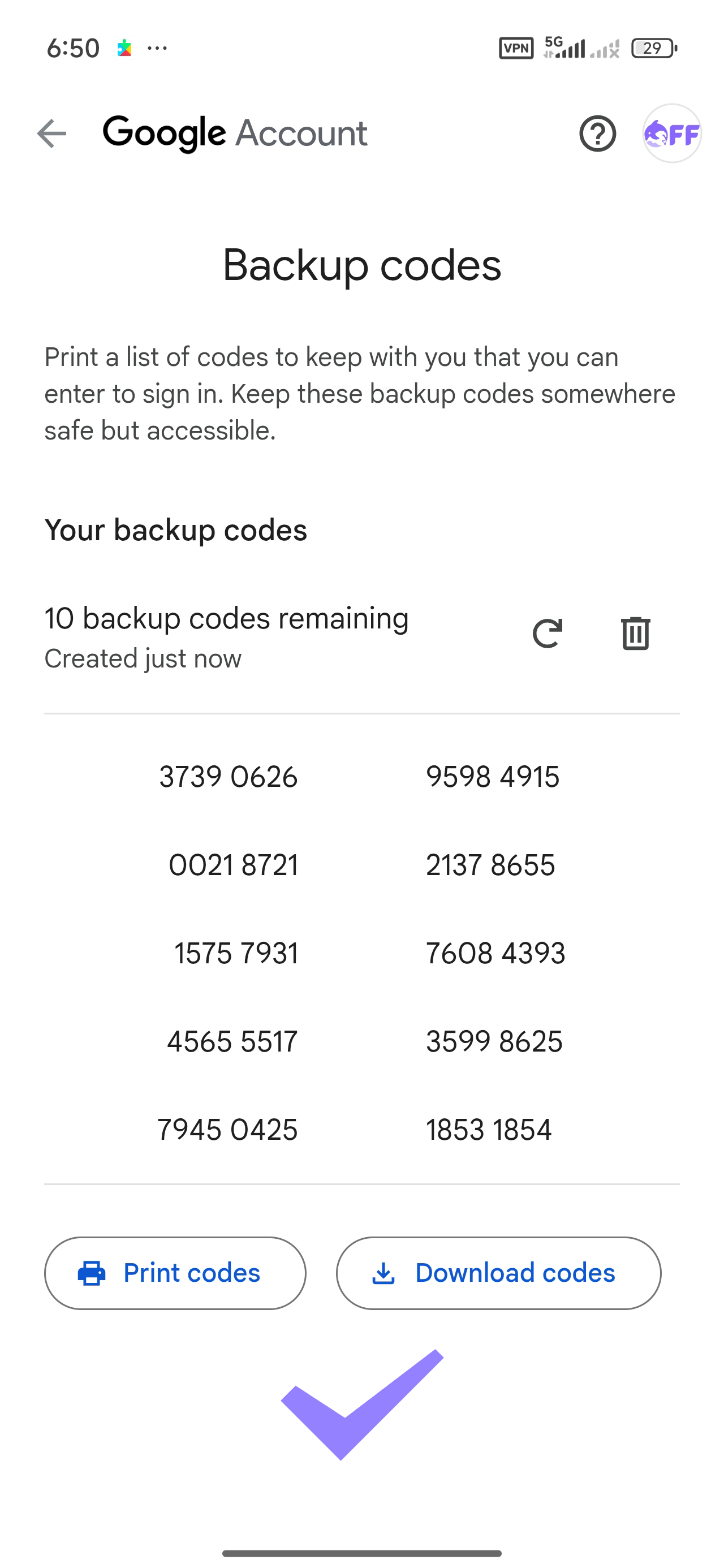
Backup codes have now been generated. Keep them in a secure place in case you lose access to your phone.