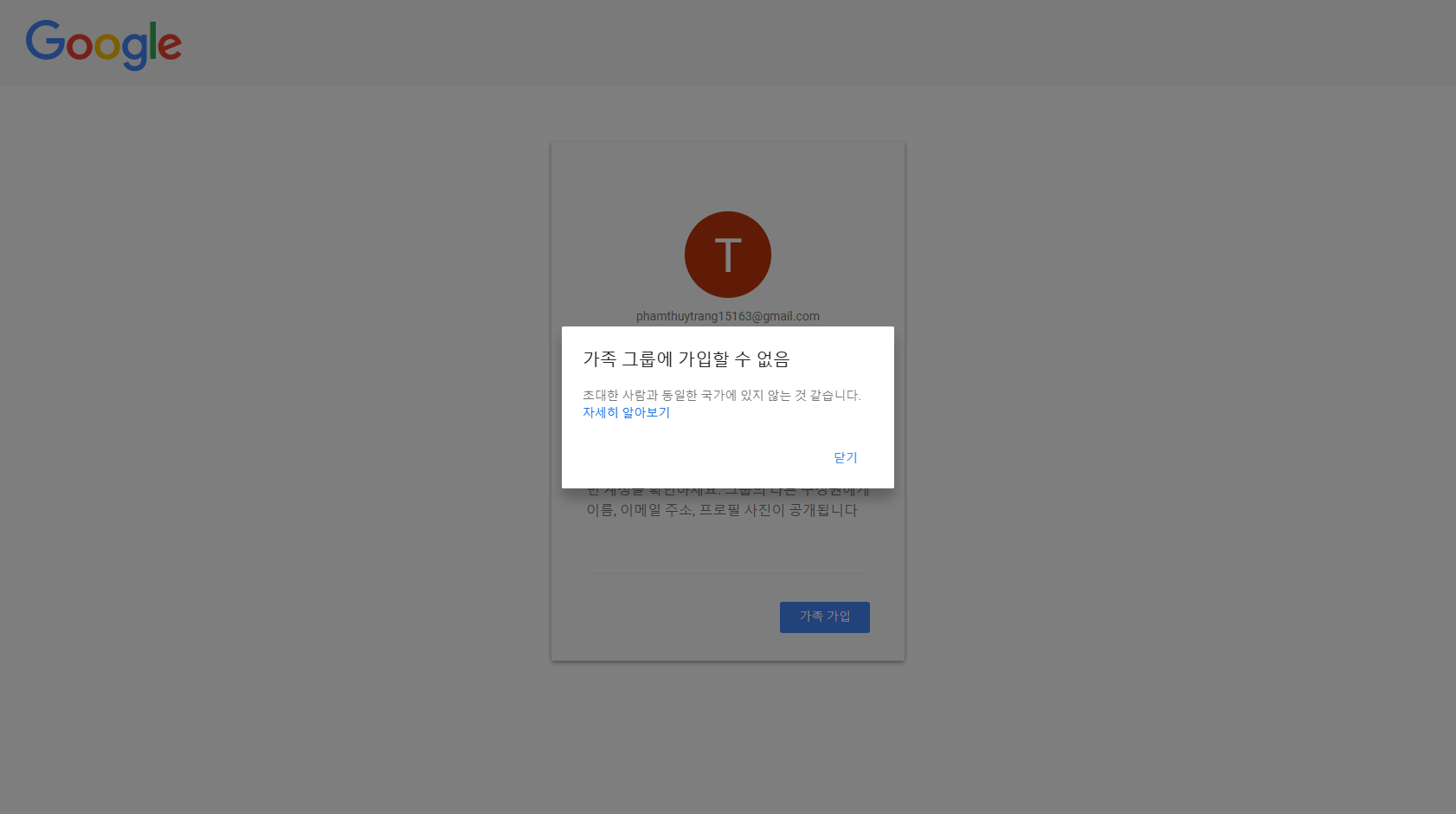
Can't Join Family Group (Region/Country Mismatch)
If Google Family shows “You are not in the same country/region” when joining, follow the steps below to fix your account region.
Problem: Can't Join Family Group
The message indicates your account is not in the same country/region as the inviter, so you cannot join.
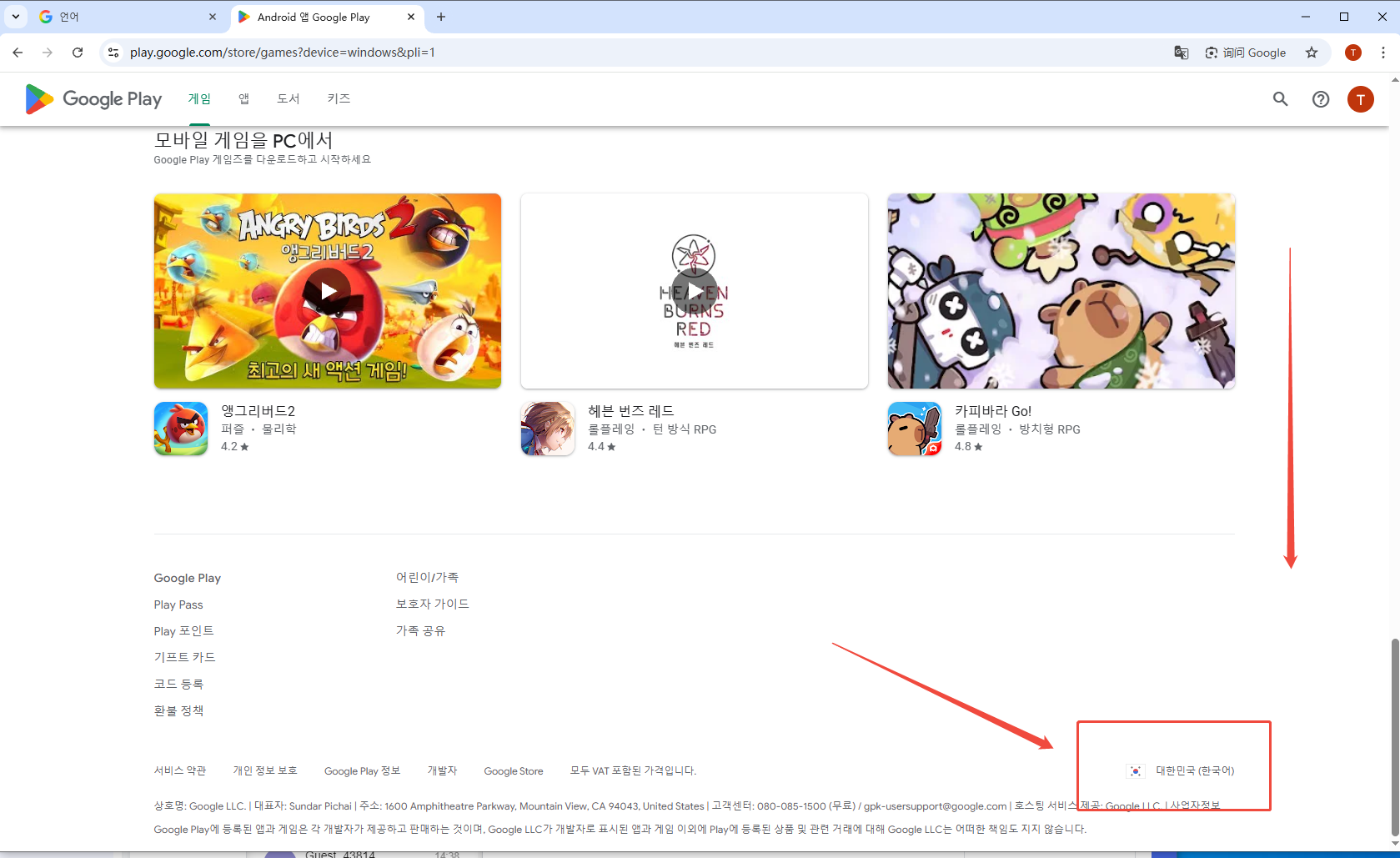
Step 1: Check your Google Play country/regionOpen link
Scroll to the bottom of the page. The country/region shown at the bottom-right is your current Google Play region.
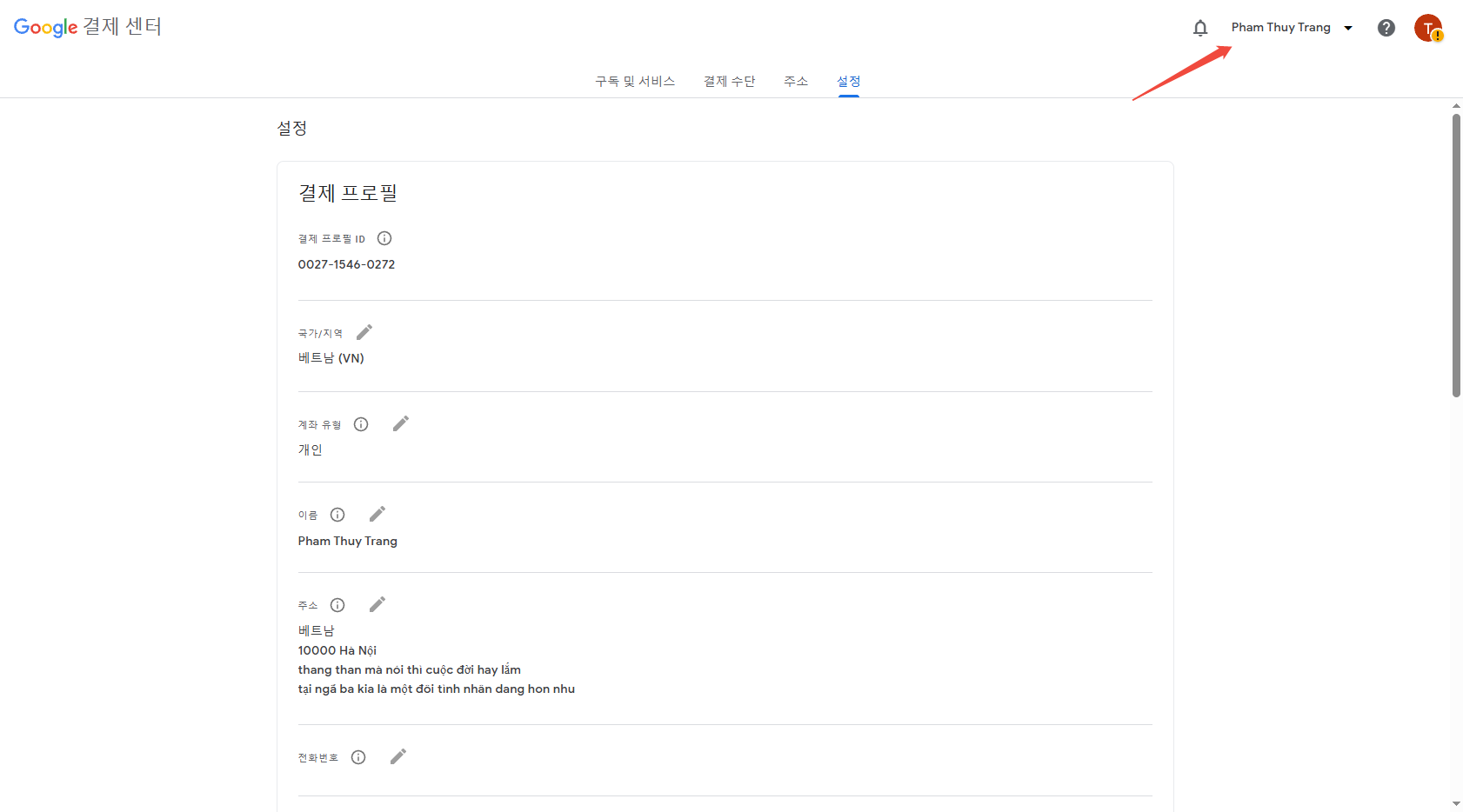
Step 2: Open Google Payments settings and confirm the countryOpen settings
Make sure you're signed in to the correct account, then check the country/region in your payment profile.
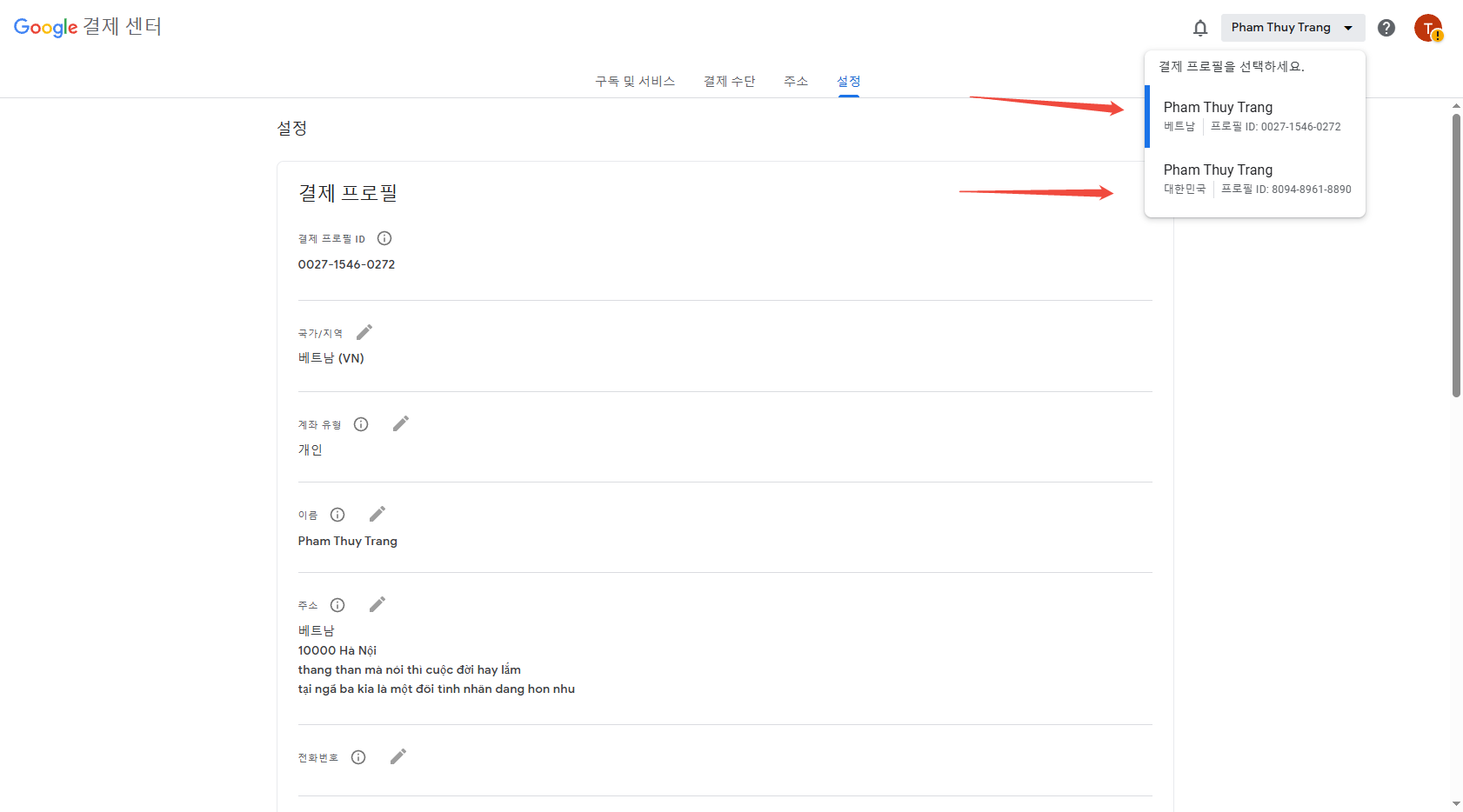
Step 3: Check if there are multiple payment profiles (different countries)
Click the dropdown menu at the top-right. If you see multiple profiles with different countries, your account region may be mixed.
Step 4: Delete the incorrect country payment profile
Select the wrong country profile, scroll down, and click “Delete payments profile”.
Done
After deleting, refresh your Google Play region (it may take some time), then click the invite link again to join the family group.