Google 계정 2단계 인증 설정하기
DolOffer 구독에서 Google 2단계 인증을 설정하고 사용하는 방법입니다.
1. Google 계정 설정에서 '보안' 탭을 선택하세요. Google 계정 설정으로 가려면 여기를 클릭하세요
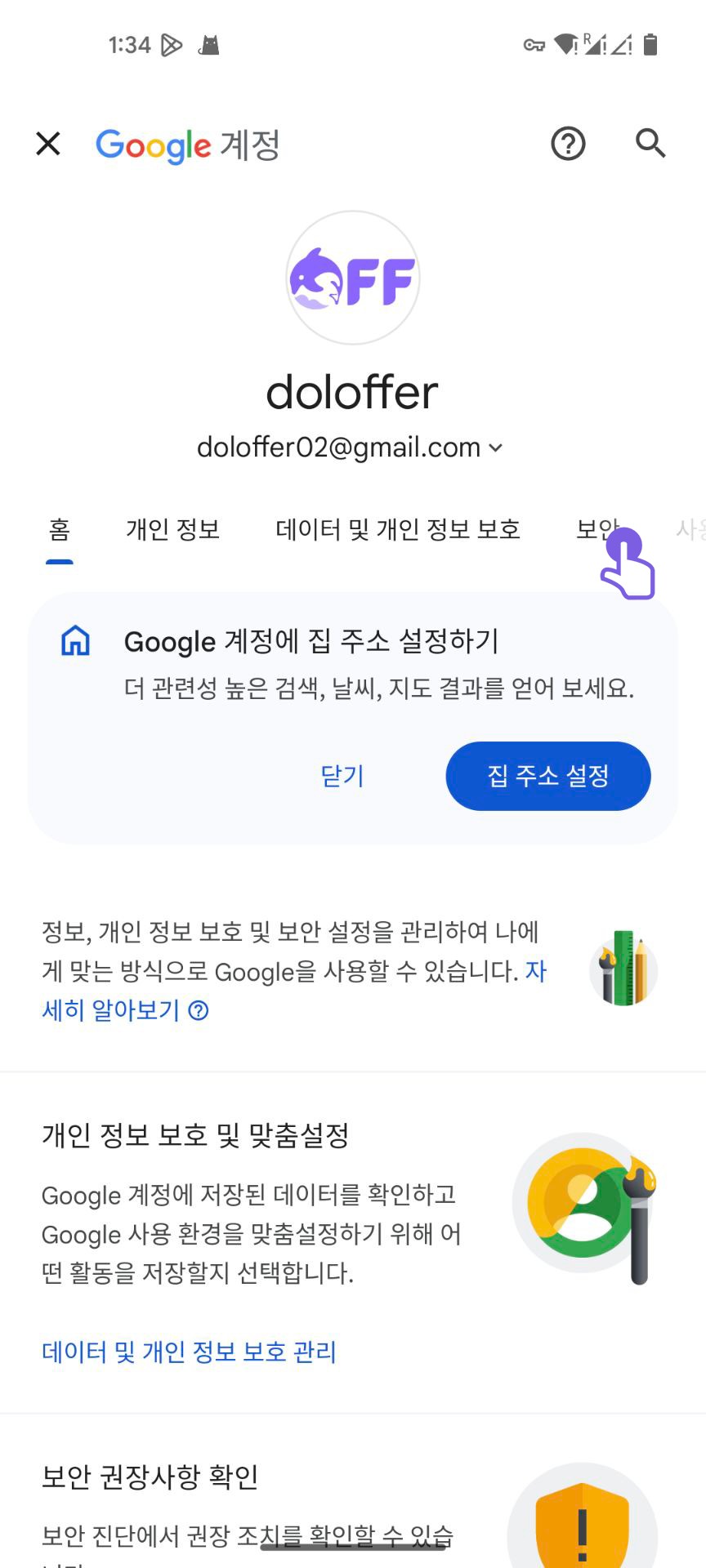
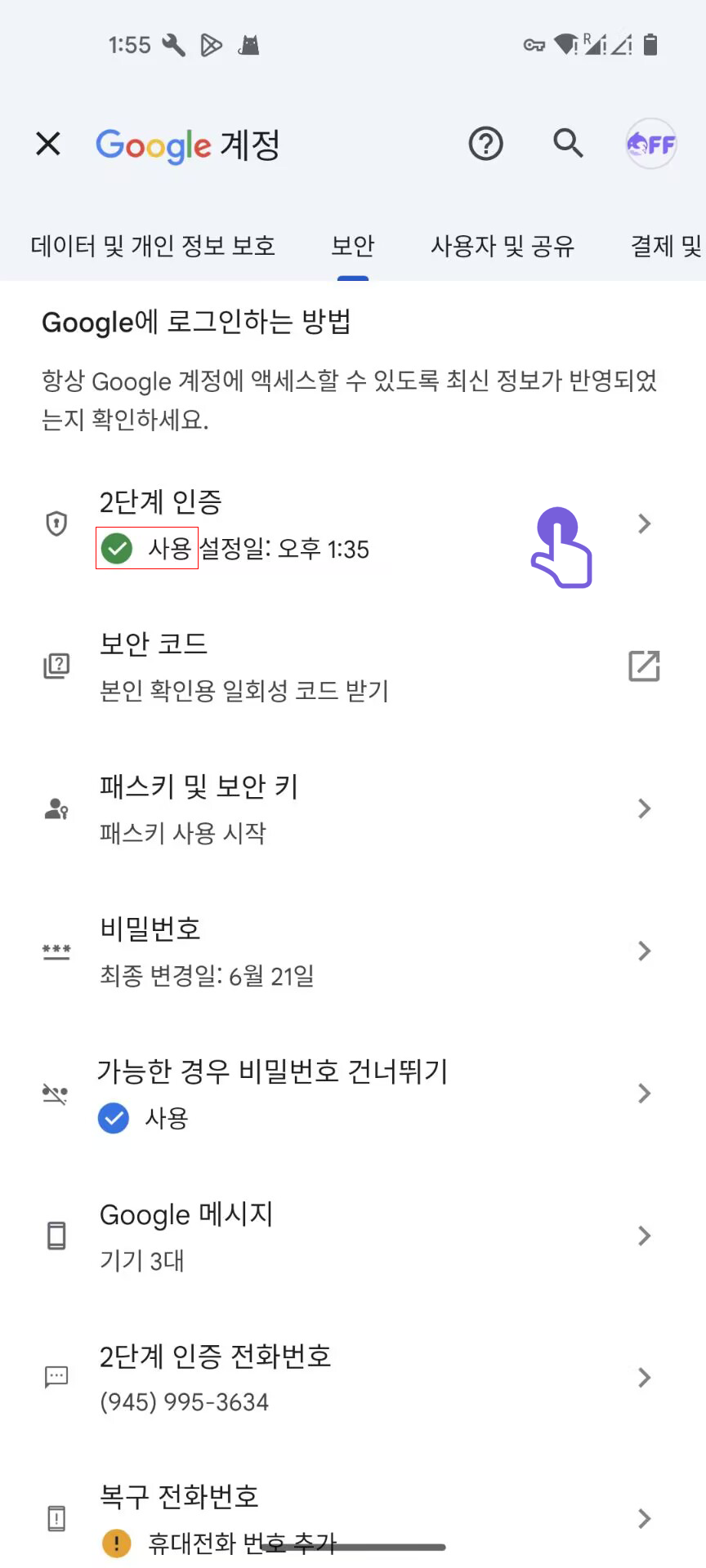
2. 'Google 로그인 방법' 아래에 있는 '2단계 인증'을 탭하세요.
3. '전화번호 추가'를 눌러 유효한 번호를 입력하세요.
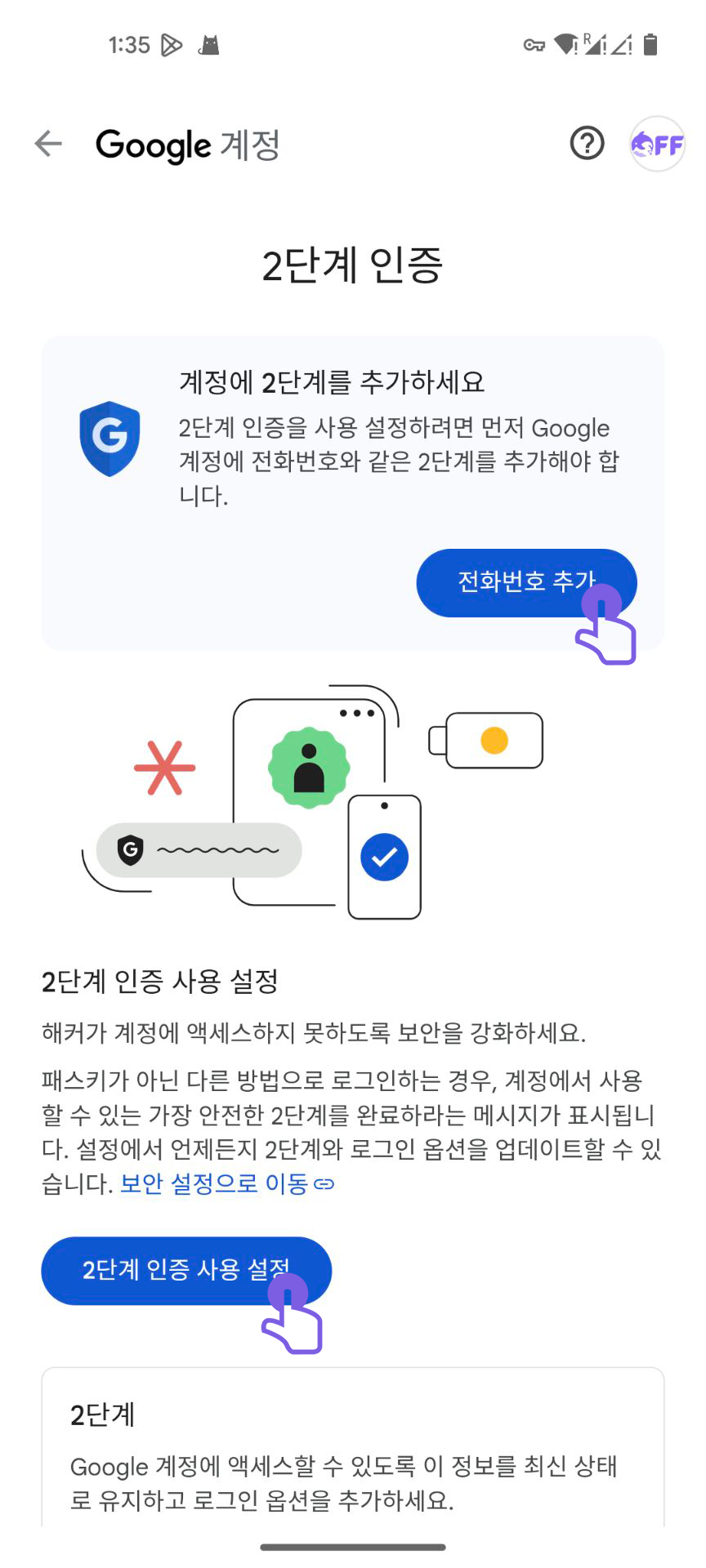
4. '2단계 인증 사용'을 눌러 활성화하세요.
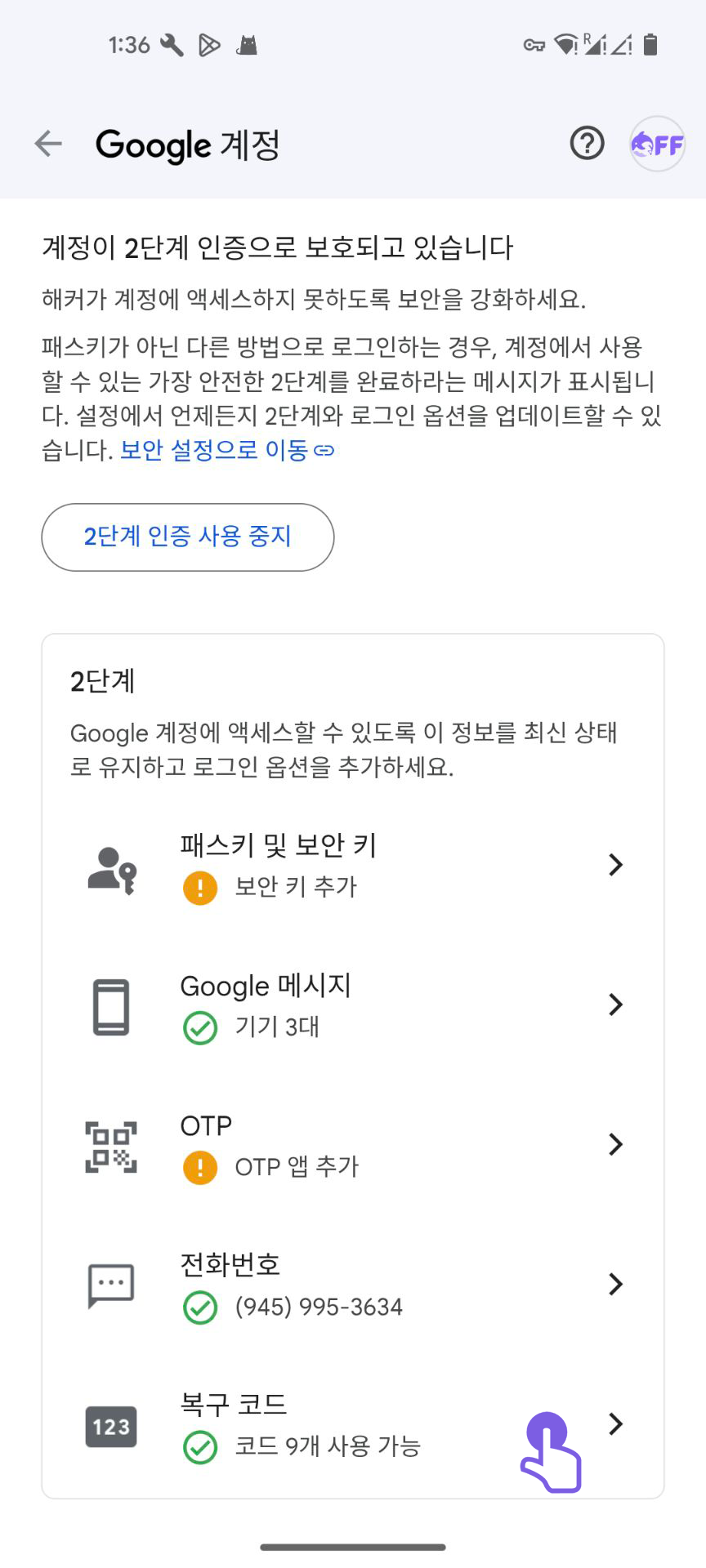
5. Google 프롬프트, 인증 앱, 백업 코드 등 추가 보안 옵션을 설정하세요.
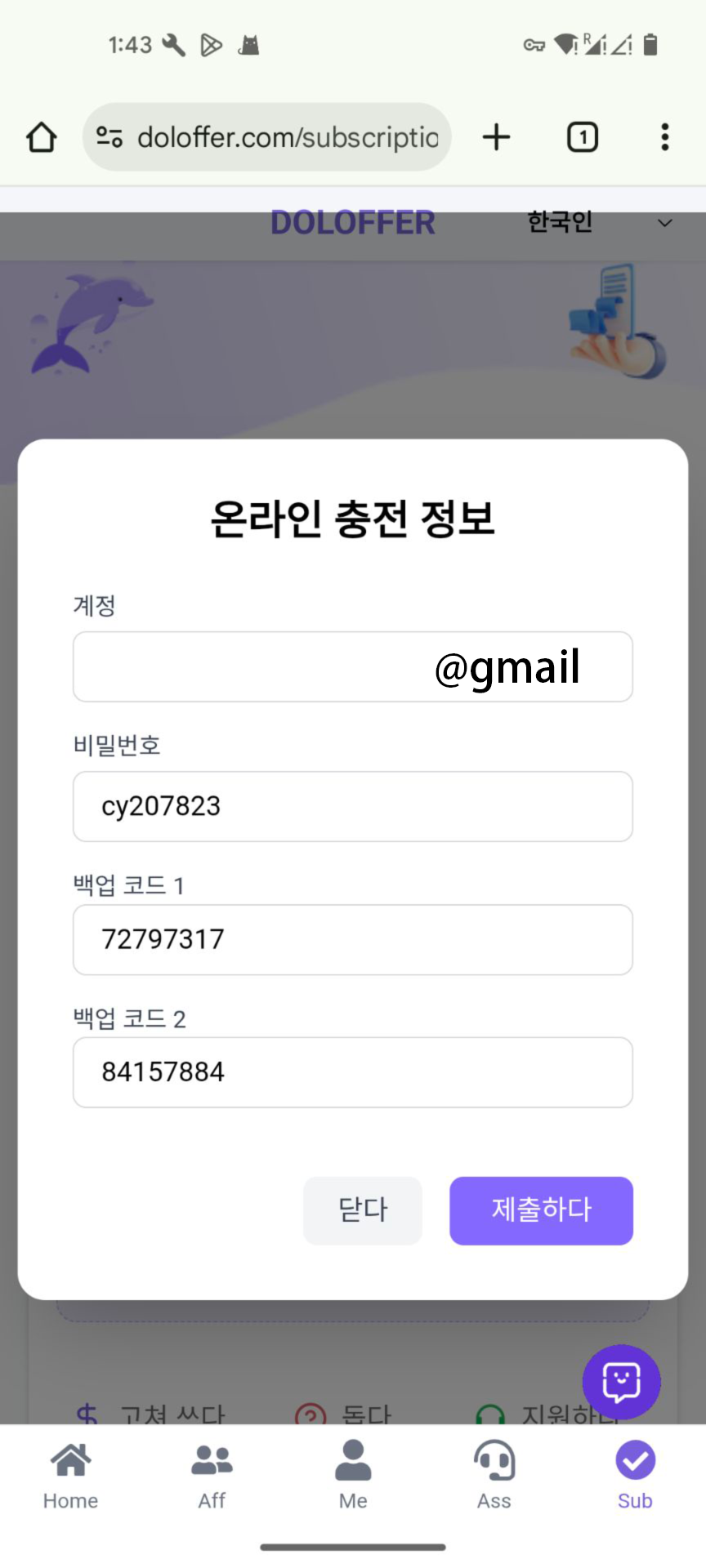
6: 충전 페이지에서 계정, 비밀번호, 두 개의 백업 코드를 입력하여 본인 확인 후 구독을 완료하세요.
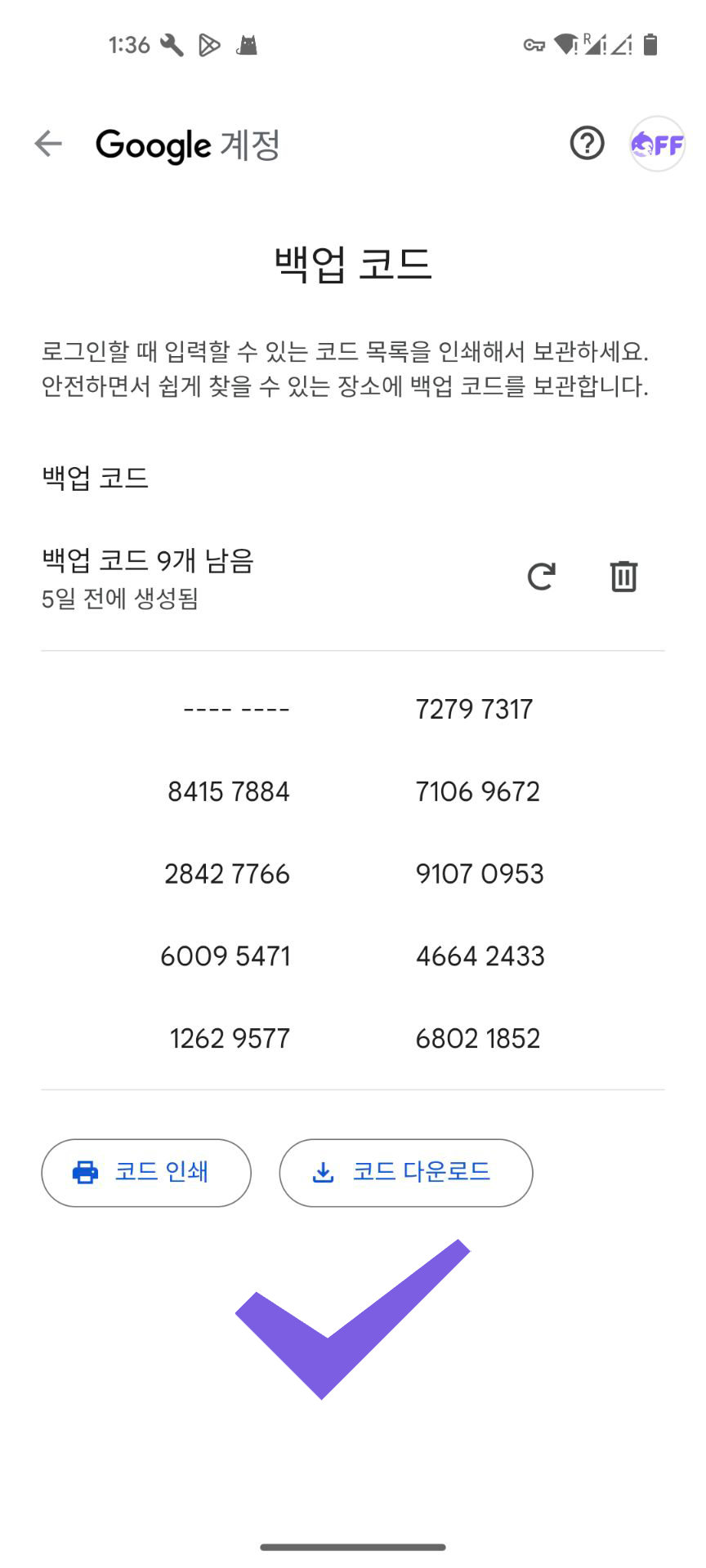
백업 코드가 생성되었습니다. 분실 대비를 위해 안전한 곳에 저장하세요.
Related articles
Best Anime Streaming Services: How to Choose in 2026
Searching for the best anime streaming services usually returns a list sorted by catalog size, which is the least useful number when you are deciding what to pa
Cheapest Streaming Services: What the Lowest Price Buys
The cheapest streaming service is rarely the one with the lowest number on the sign-up page. It is the one whose total cost, across the months you actually keep
How to Transfer Playlists Between Music Services Correctly
Every streaming service stores a playlist as an ordered list of its own track identifiers, and those identifiers mean nothing inside a competing catalog. That i
Can You Share a Spotify Account? What Actually Works
Yes, two people can sign in to the same Spotify account, but it holds only until both of them press play at once. That single limit decides most of the question