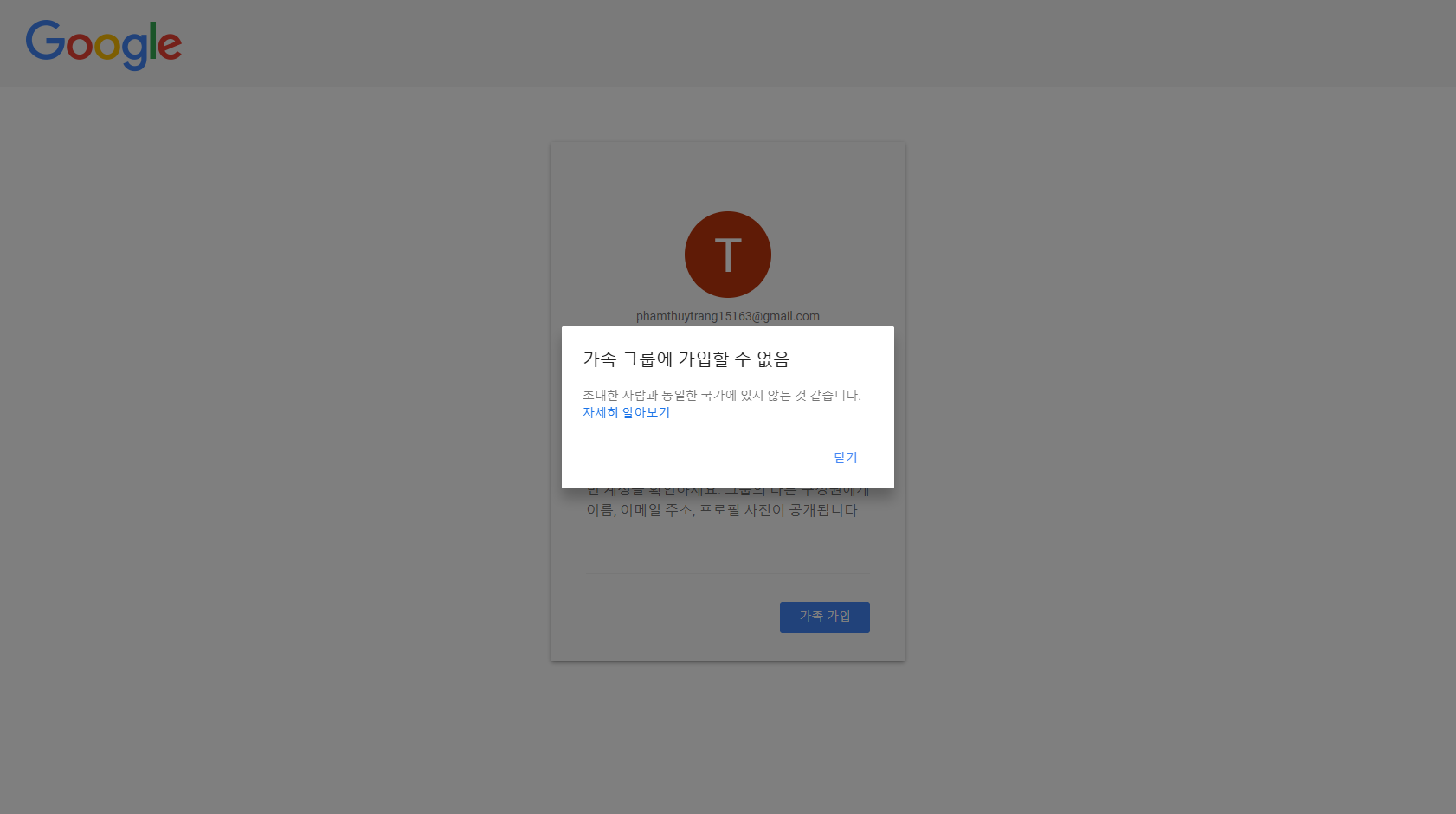
가족 그룹에 가입할 수 없음 (국가/지역 불일치)
Google 가족 그룹 가입 시 같은 국가/지역이 아니라는 메시지가 표시되면 아래 단계에 따라 계정 지역을 수정하세요.

문제: 가족 그룹에 가입할 수 없음
초대한 사람과 동일한 국가/지역이 아니라서 가족 그룹에 가입할 수 없습니다.
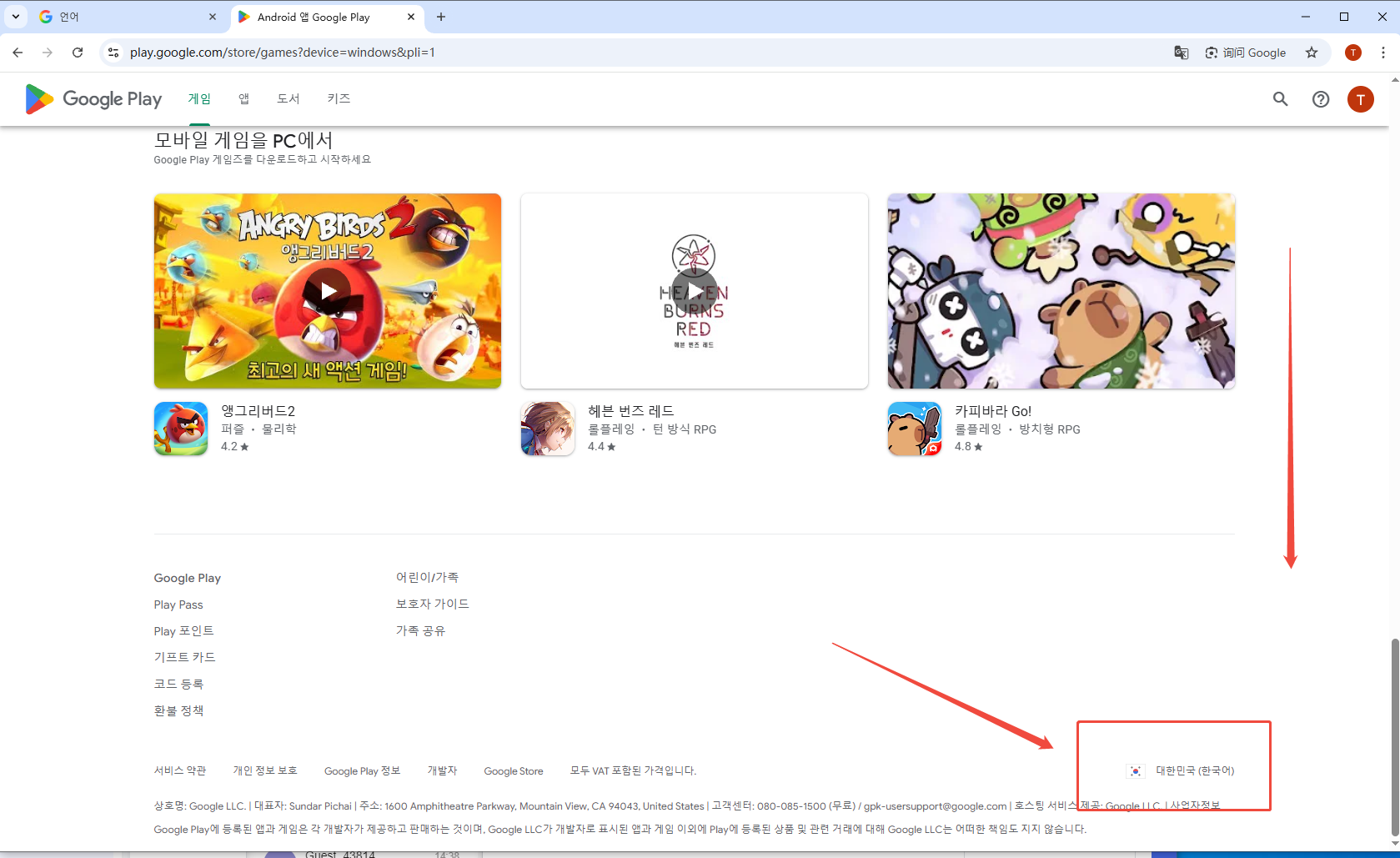
Step 1: Google Play 국가/지역 확인 링크 열기
페이지 맨 아래로 스크롤하세요. 오른쪽 아래에 표시되는 국가/지역이 현재 Google Play 지역입니다.
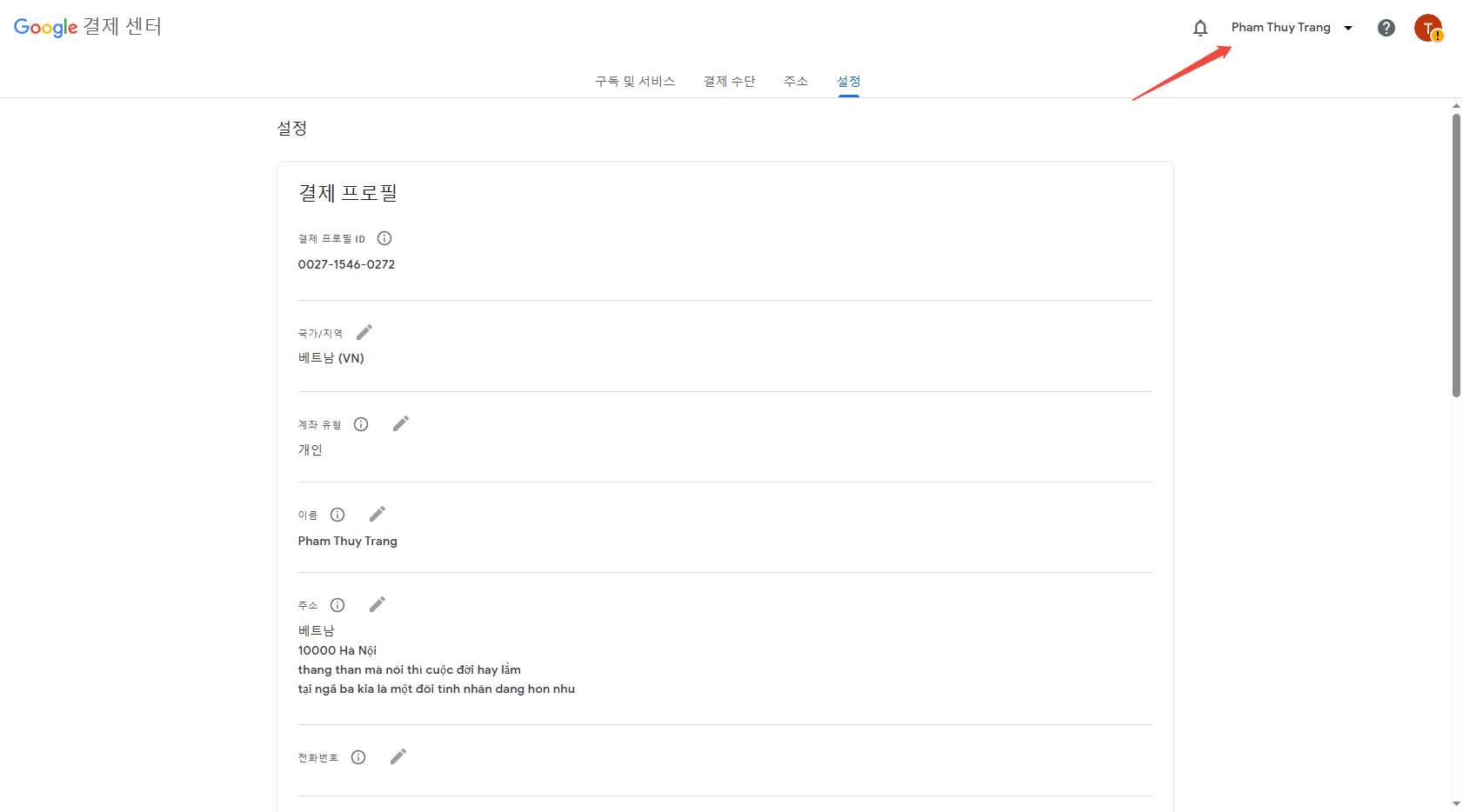
Step 2: Google Payments 설정에서 국가 확인 설정 열기
오른쪽 상단 계정이 맞는지 확인한 후, 결제 프로필의 국가/지역을 확인하세요.
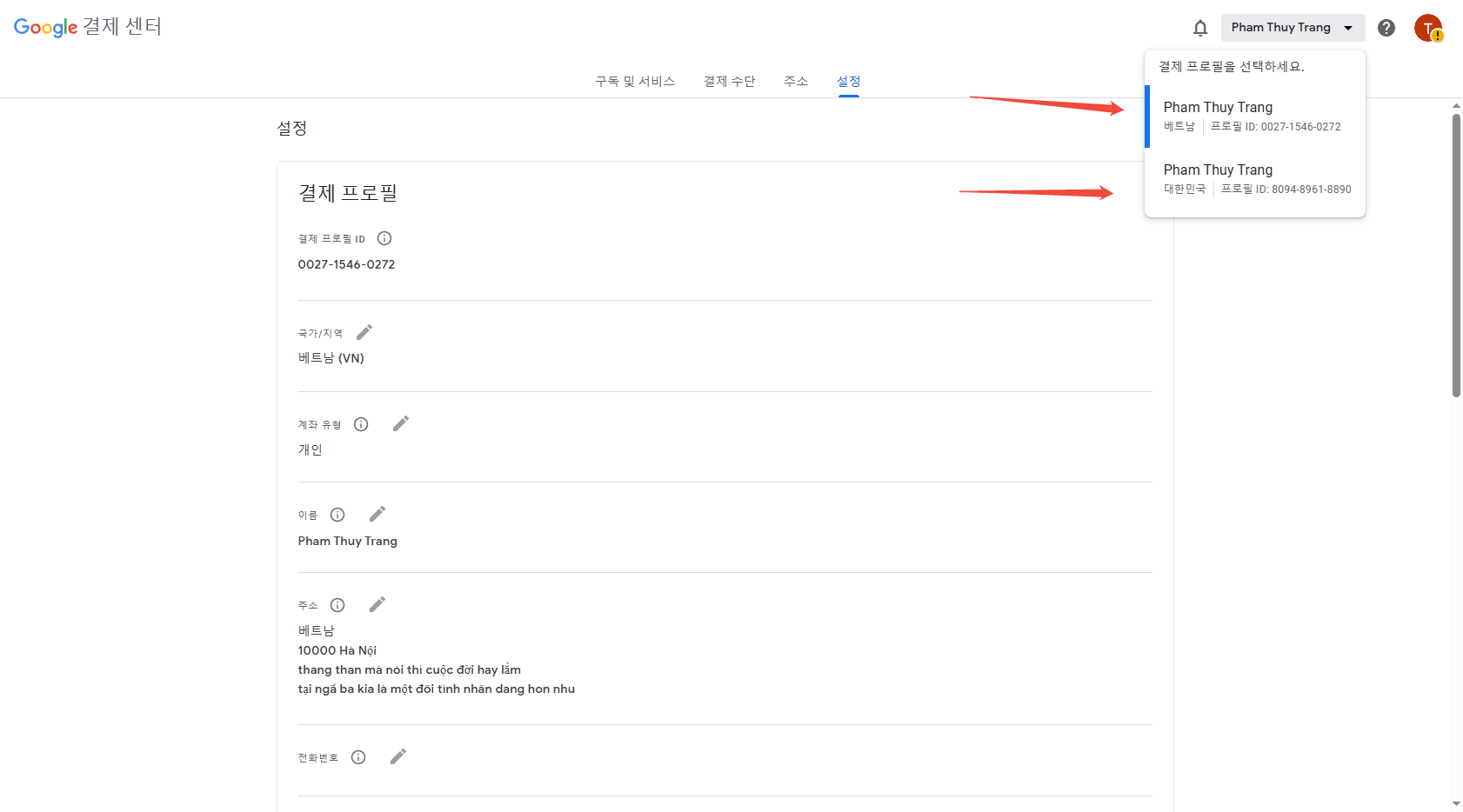
Step 3: 여러 국가의 결제 프로필이 있는지 확인
오른쪽 상단 드롭다운 메뉴를 클릭하세요. 서로 다른 국가의 프로필이 여러 개 있으면 계정 지역이 혼재되어 있을 수 있습니다.
Step 4: 잘못된 국가의 결제 프로필 삭제
잘못된 국가 프로필을 선택한 후 아래로 스크롤하여 "결제 프로필 삭제(Delete payments profile)"를 클릭하세요.
완료
삭제 후 Google Play 국가가 갱신될 때까지 잠시 기다린 다음, 초대 링크로 다시 가족 그룹에 가입하세요.
Related articles
Best Anime Streaming Services: How to Choose in 2026
Searching for the best anime streaming services usually returns a list sorted by catalog size, which is the least useful number when you are deciding what to pa
Cheapest Streaming Services: What the Lowest Price Buys
The cheapest streaming service is rarely the one with the lowest number on the sign-up page. It is the one whose total cost, across the months you actually keep
How to Transfer Playlists Between Music Services Correctly
Every streaming service stores a playlist as an ordered list of its own track identifiers, and those identifiers mean nothing inside a competing catalog. That i
Can You Share a Spotify Account? What Actually Works
Yes, two people can sign in to the same Spotify account, but it holds only until both of them press play at once. That single limit decides most of the question