Members-only YouTube videos are not locked behind YouTube Premium. They open when you join the specific channel that published them, because a channel membership is a separate purchase sold by the creator, not a YouTube-wide subscription. That single distinction explains most of the confusion around this topic, and it decides where your money should go. The reliable route is to pay the channel that made the video; a platform-level subscription is a different purchase with different features. This guide walks through joining a membership, the legitimate lower-cost routes worth checking first, and the fixes to try when you have paid but the player still shows a Join button.
What Members-Only YouTube Videos Actually Are
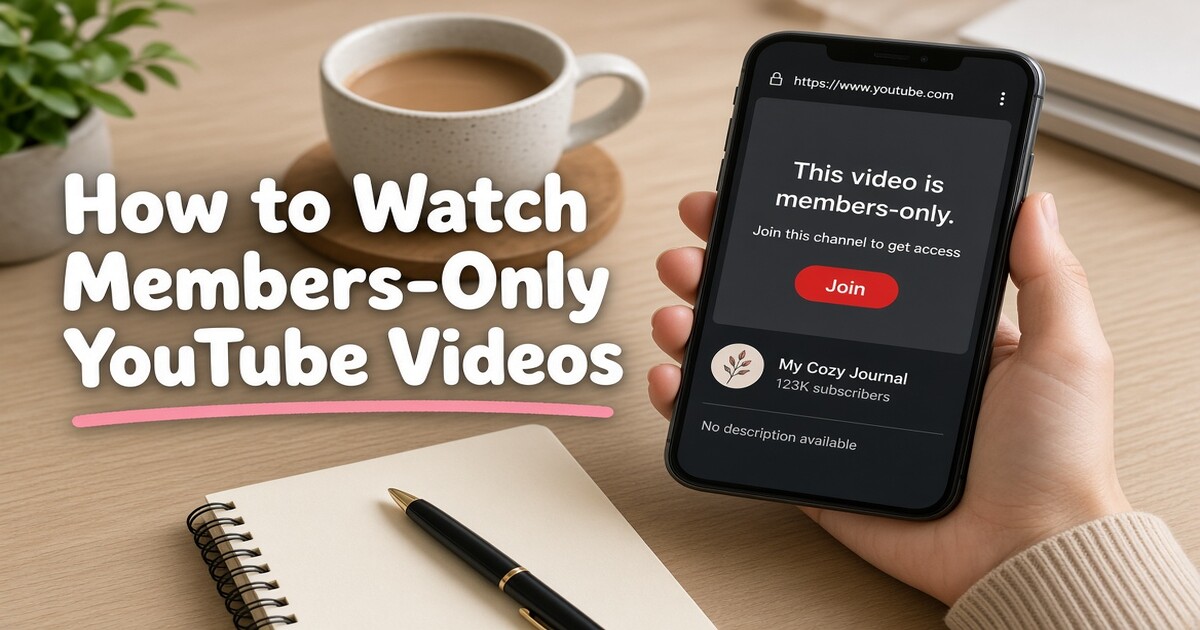
A members-only video is a video the creator chose to publish only to viewers who hold a paid membership in that channel. YouTube still shows the thumbnail and sometimes a short preview, then replaces the player with a Join prompt. Nothing is broken and the video is not region-locked in the usual sense. The viewer simply lacks the entitlement the creator attached to it.
Memberships are sold per channel. A creator sets one or more tiers, chooses a monthly price for each, and decides which perks sit behind which tier. Common perks include members-only videos, members-only live streams, early access to uploads, posts in the community tab, a loyalty badge beside your name, and custom emoji in live chat. A tier that gives you a badge does not automatically give you every video, which is why two people can both be members of the same channel and see different content.
The purchase attaches to the Google account you were signed into when you joined. It follows that account across devices. It does not follow you to a second account, and it cannot be reassigned to a friend.
| What you want | What provides it | What does not |
|---|---|---|
| One channel's members-only videos | A membership in that channel, bought on the video or channel page | YouTube Premium |
| Ad-free viewing across YouTube | YouTube Premium | A channel membership |
| Badges, custom emoji, members-only live chat | A membership in that channel | A shared Premium plan |
| Downloads for offline viewing in the app | YouTube Premium, where downloads are offered | A channel membership alone |
| A different channel's gated videos | A membership in that other channel | The membership you already bought |
Prices vary by tier, country, and currency, and the creator sets them. Expect the checkout to show the local price and the renewal date before you confirm.
How to Join a Channel Membership Step by Step
- Sign in with the Google account you want the membership attached to. This step is required and easy to get wrong on a shared computer or a second browser profile.
- Open the members-only video or the channel page and select Join. The button sits under the video and in the channel header.
- Compare tiers by the perks they list, not by price order. Required when a channel offers more than one tier, because the cheapest tier may exclude the video you came for.
- Confirm how the charge is billed. On a computer it goes through the payment method on your Google account; on Android it is billed through Google Play. This matters later, because the two are cancelled in different places.
- Reload the video after payment. The player replaces the Join prompt once the entitlement is active. A short delay of a minute or two is normal while the payment clears.
- Bookmark the channel's Members tab. Members-only playlists and archived members-only live streams usually sit there rather than in the public video list.
Two practical limits apply. The payment method must be accepted in your country, and some channels restrict membership availability by region. Membership is also an individual purchase, so family sharing does not extend it to anyone else.
Why YouTube Premium Does Not Unlock Members-Only Videos
Call it the two-purchase rule: YouTube sells platform features, creators sell access to their own channels, and one purchase never covers the other.
Premium is billed by YouTube and covers platform-level features such as ad-free viewing, background play, downloads in the app, and YouTube Music. A channel membership is billed separately, through YouTube, on behalf of one creator. Premium does not discount a membership, and a membership does not remove ads anywhere else on the platform. Holding both is normal, and both appear on the same purchases page, which is exactly where the confusion starts.
The same logic applies to shared and resold plans. A Premium plan obtained through a subscription-sharing service, a family group, or a carrier bundle delivers Premium features to the signed-in account. It does not create memberships in channels you have never joined, and no third party can attach a membership to your Google account on your behalf. Anyone offering "members-only access" as a standalone product is selling something other than a membership.
Legitimate Ways to Pay Less or Watch for Free
Before committing to a monthly charge, check the routes below. Each one is provided by the creator or by YouTube, and each has a real limit.
| Route | How it works | What to check | Limit |
|---|---|---|---|
| Free trial in the Join flow | Some channels and regions offer a short trial before billing starts | The renewal date and whether the trial converts automatically | Not offered on every channel or in every country |
| Gifted membership | Where a channel enables gifting, another viewer can buy a membership for someone else | The tier and duration the giver purchased | Temporary, and it does not renew on its own |
| Creator promo window | A creator may open a gated video to everyone for a period | Channel community tab and announcements | Entirely the creator's choice |
| Lower tier | A cheaper tier may still include the video you want | The tier's perk list, not the price order | Some videos are restricted to top tiers |
| Later public release | Creators sometimes publish a members-only video publicly after an exclusivity window | The channel's public video list over time | No guaranteed timeline |
| Public clips and trailers | Previews often appear on the channel or other platforms | Nothing, they are public | Not the full video |
What does not work is worth naming plainly. Sites offering a "free members-only downloader", a code, or a login from a stranger are collecting either your credentials or your payment details, and the file, if it exists at all, is usually broken. Using them also breaches YouTube's terms, and the account at risk is the one holding your other subscriptions. Buying a membership and passing the login around carries the same problem in reverse: your watch history, recommendations, and saved payment method end up in someone else's hands.
Joined but Still Can't Watch? Check These Causes First
Start with the account and the payment
The most common cause is not a broken video. It is a different Google account, a card that has not cleared, or a membership that lapsed after a failed renewal. Confirm the account first, then the payment status, then the tier.
| Symptom | Likely cause | First check |
|---|---|---|
| Join prompt still shows after payment | Payment pending, or a different account signed in | Purchases and memberships page for that channel |
| Video still gated although the membership is active | Your tier does not include that specific video | The tier's perk list against the video |
| Works on phone but not on desktop | Two different Google accounts signed in | The account avatar on each device |
| Membership disappeared from the channel | Renewal failed, or the membership was cancelled | Payment method and membership status |
| Video no longer listed at all | Creator deleted it, made it public, or moved it to another tier | Channel video list and community tab |
| Content unavailable in your region | Regional restriction on the membership or the video | The channel's stated availability |
When the cause is the tier or the region
If the account and payment are correct and the video is still gated, compare the specific tier you bought against the perks listed on the Join page. Creators can move a video to a higher tier, and an existing membership does not always follow it. If the page offers no answer, contact the creator through the channel's public contact options, then YouTube support with the receipt. Entitlements follow the paying account, so a support request made from a different login will not resolve it.
What a Shared Subscription Service Can and Cannot Cover
Shared subscription platforms exist to lower the cost of platform-level services. A plan of this kind, such as the shared Premium access offered by DolOffer, delivers Premium features to the account you use, with delivery details, password reset options, encrypted payment, and human support handled by the provider. What it cannot do is create a channel membership. That purchase happens inside your own Google account, on the creator's Join page, and it stays there.
That boundary is useful rather than inconvenient, because it tells you which purchase to make:
- If you want one channel's members-only videos, posts, and live streams, join that channel. Nothing else produces that entitlement.
- If you want ad-free viewing, background playback, and downloads across everything you watch, a platform-level plan is the cheaper route to those features.
Decide which of those two describes your search before you spend anything. Many people searching for members-only access are really trying to avoid ads and interruptions across YouTube, and they end up paying for a membership they did not need.
Managing or Cancelling Without Losing Access Early
Open youtube.com/paid_memberships, or go to Settings and then Purchases and memberships, find the channel, and select Cancel. If you joined on Android through Google Play, cancel in the Play Store subscriptions list instead, because that is where the charge originates. Access continues until the end of the period you already paid for, and renewal stops after that.
Two details catch people out. First, cancelling a membership leaves Premium untouched, and cancelling Premium leaves every membership untouched. Second, rejoining later starts a new billing cycle rather than restoring the old one, so badges and streak-style perks tied to continuous membership may reset.
If a charge was genuinely accidental, request a refund through the same place the payment was taken and keep the receipt. Refund decisions rest with YouTube or the app store, and they are not guaranteed, so the safer habit is to check the renewal date at checkout rather than after the charge appears.
Choose the Purchase That Matches What You Want to Watch
If a single channel's members-only videos are the goal, open that video, read the tier perks carefully, and join that channel directly. Paying anyone else for access leaves you without the entitlement and without a refund route.
If the goal is broader, ad-free viewing, background playback, and downloads across YouTube at a shared price, compare the plans on DolOffer, check the delivery and password reset terms before checkout, and use the plan for what it covers rather than expecting it to include creator memberships. If you are unsure which plan fits your devices and viewing habits, ask the platform's 24/7 support team first and confirm the details before you pay.
FAQ
Can you watch members-only YouTube videos for free?
Only through a route the creator or YouTube provides: a free trial when the Join flow offers one, a gifted membership from another viewer, a video the creator later makes public, or a temporary open window the creator announces. There is no legitimate code, switch, or downloader that grants membership access. Sites promising a free members-only download are usually harvesting credentials or payment details, and the account at risk is the one holding your other subscriptions.
Does YouTube Premium include channel memberships?
No. Premium is billed by YouTube and covers platform features such as ad-free viewing, background play, and downloads. A channel membership is billed separately by the creator through YouTube and covers that channel's gated content. Holding Premium changes neither the price nor the availability of a membership, and joining a membership does not remove ads elsewhere. You can hold both, and they appear on the same purchases page, which is where the confusion usually begins.
Why does a members-only video still show Join after I paid?
Check three things in order: whether you are signed in with the account that paid, whether the payment cleared, and whether your tier includes that specific video. A pending card, a different Google account on a second device, or a top-tier-only video all produce the same Join prompt. Open the purchases and memberships page to confirm the membership is active for that channel, then reload the video.
Can I share a channel membership with family or friends?
No. A membership attaches to the Google account that bought it, so badges, members-only posts, and gated videos appear only for that account. Premium family plans share Premium features within a household, but they do not extend channel memberships to family members. Passing one login between several people also breaches YouTube's terms, and it places the account holder's watch history, recommendations, and saved payment method in other hands.
How do I cancel a channel membership?
Open youtube.com/paid_memberships, or go to Settings and then Purchases and memberships, find the channel, and select Cancel. If you joined on Android through Google Play, cancel in the Play Store subscriptions list instead. Access continues until the end of the period you already paid for, and the membership does not renew after that. Cancelling a membership does not affect Premium, and cancelling Premium does not cancel memberships bought separately.